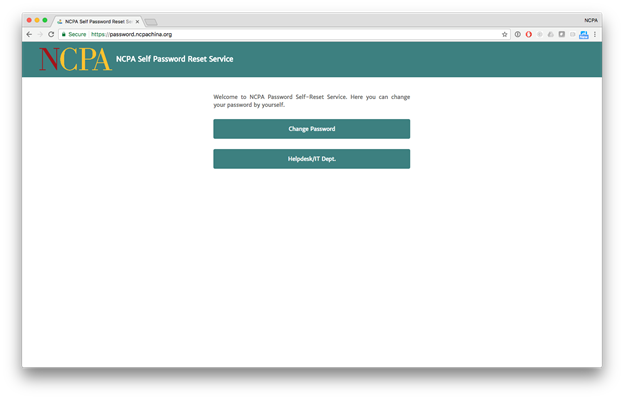
1. Visit https://password.ncpachina.org and click on Change Password. (访问https://password.ncpachina.org并单击“Change Password”)
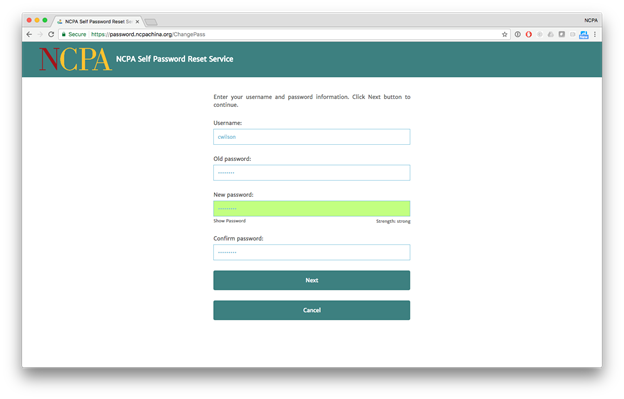
2. Enter your Username. It is the same as the first part of your email address. Then, enter your Old passsword. Finally, Choose a New password and confirm it. It must follow these rules:(输入你的用户名,与电子邮件地址的前面部分相同。然后,输入您的旧密码。最后,选择一个新密码并确认。它必须遵循以下规则:)
—At least 7 characters (至少7个字符)
—Includes a number or symbol (包含数字或符号)
—Includes an uppercase letter (包含一个大写字母)
—Includes a lowercase letter (包含一个小写字母)
—Does not include your name or the word “password” (不包含您的姓名或单词“password”)
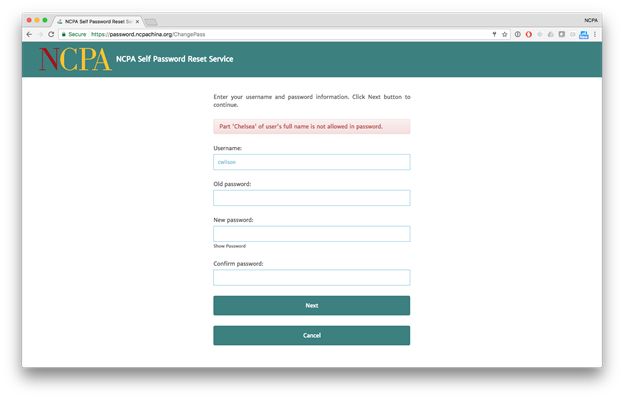
If your password is not acceptable, the system will give you an error message explaining why it was rejected. (如果您的密码不可接受,系统将向您显示一条错误消息,说明拒绝密码的原因。)
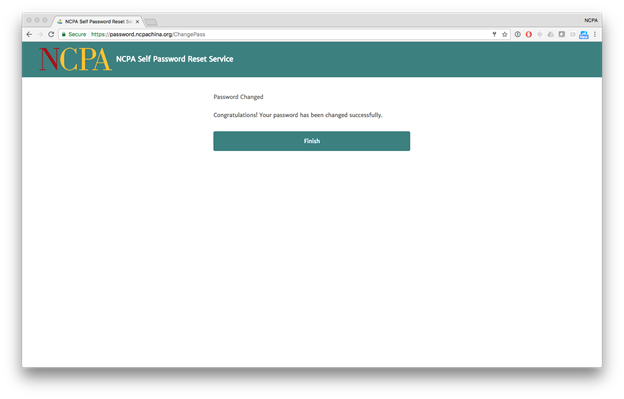
3. The system will inform you that your password has been changed successfully. (系统将通知您密码已成功更改。)