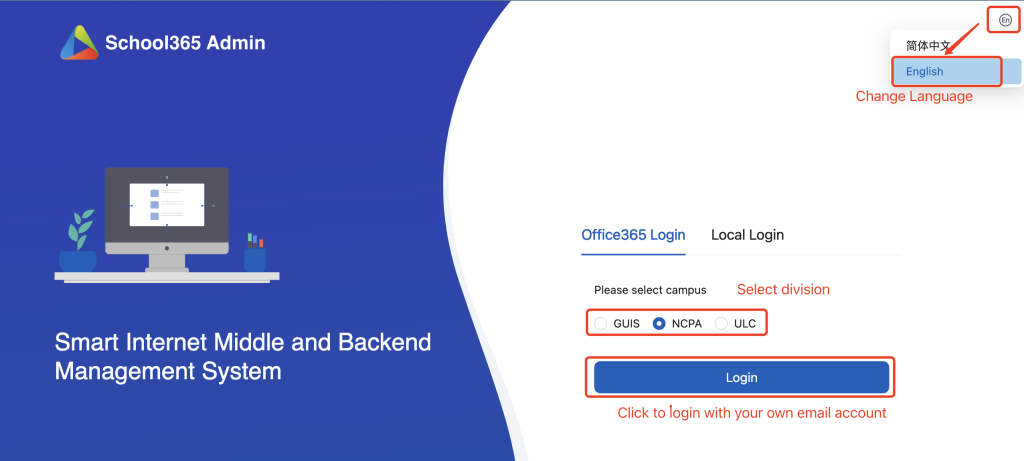
Login: https://sc.ulinkcollege.com/nansha-smart-iot
A.Invite a parent:
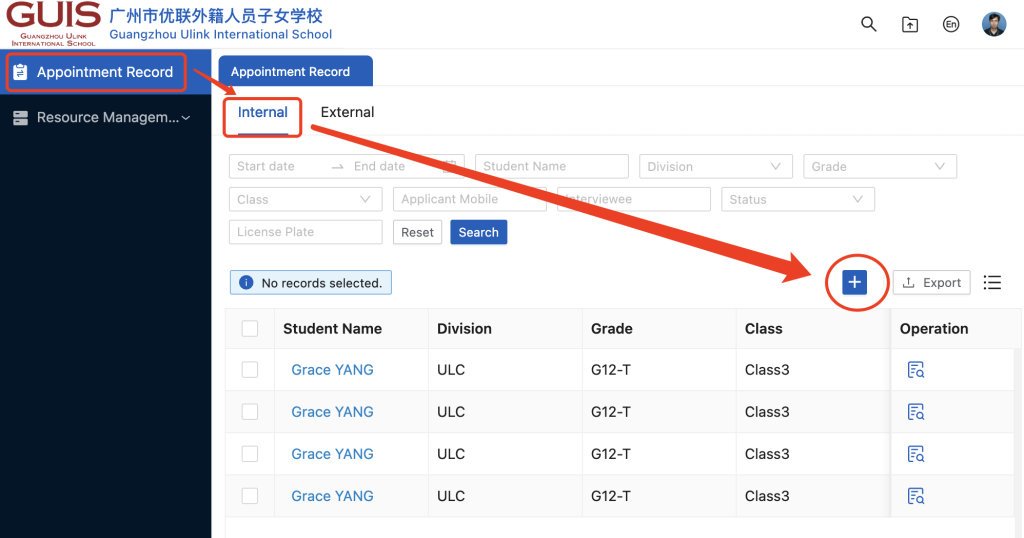
- If you want to invite parent(s) of student(s), click Appointment Record–>Internal–> +
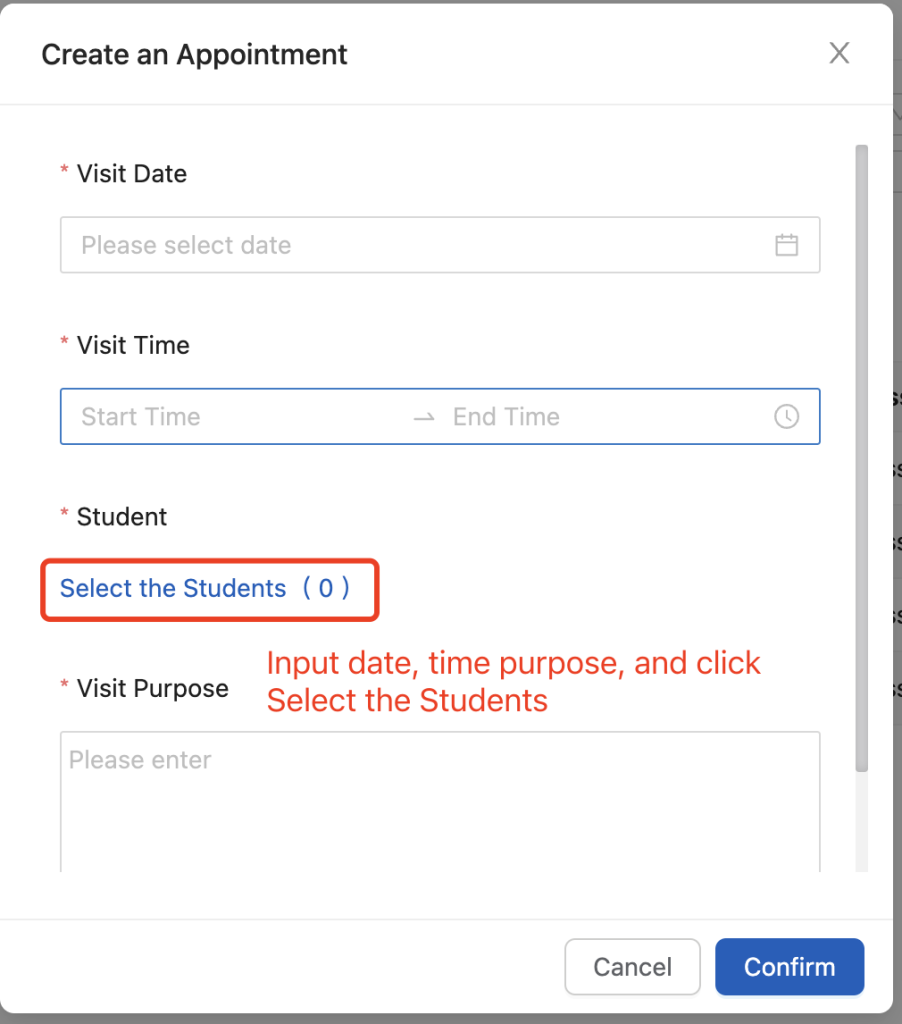
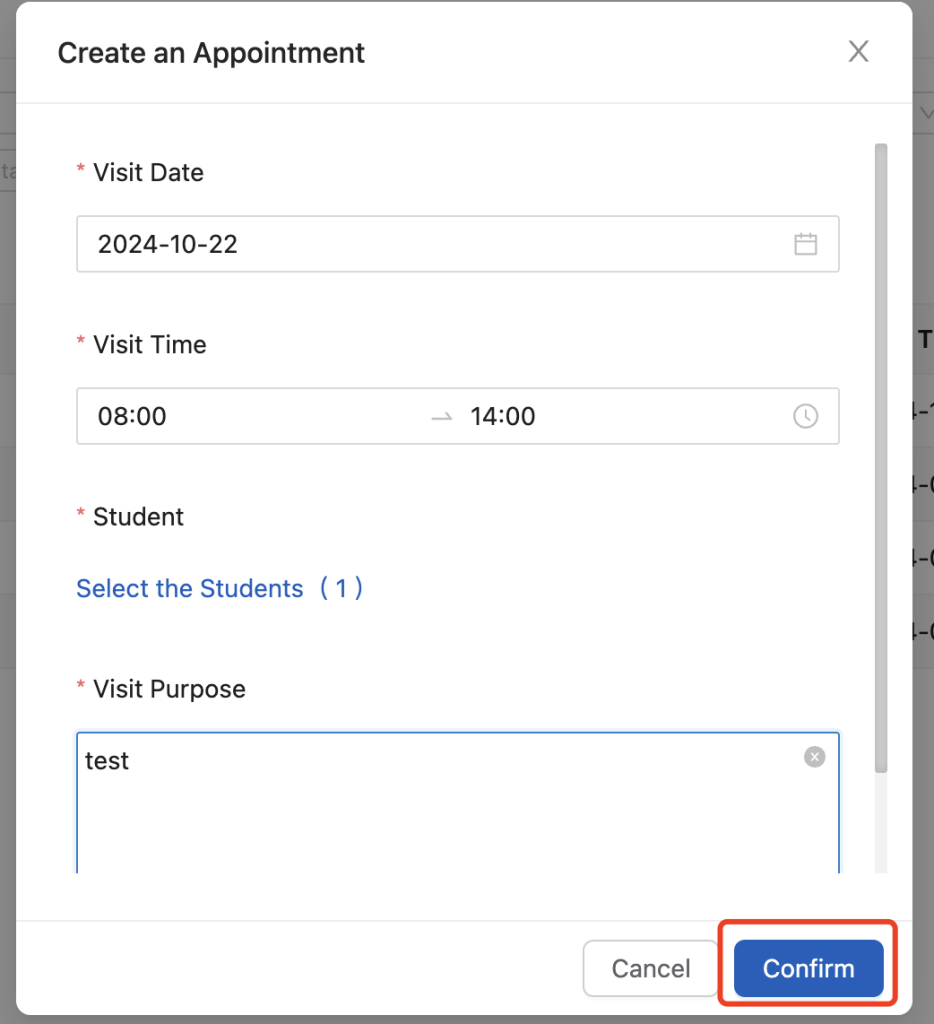
2. On the pup-up window, input date, visit time, visit purpose and click the Select the Students link.
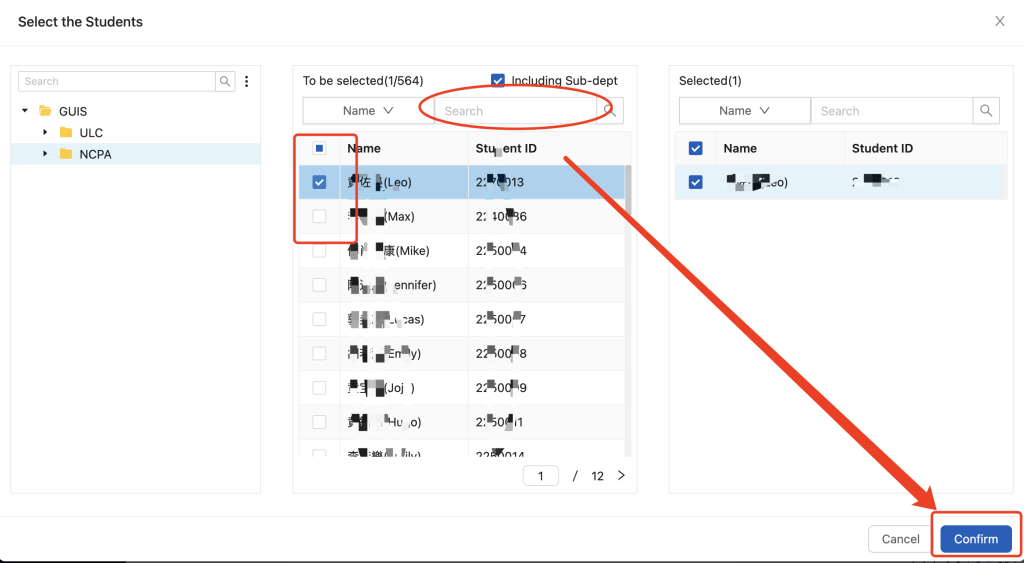
3. On the select the students pop-up window, select the student(s) and click confirm.
4. Click Confirm button.
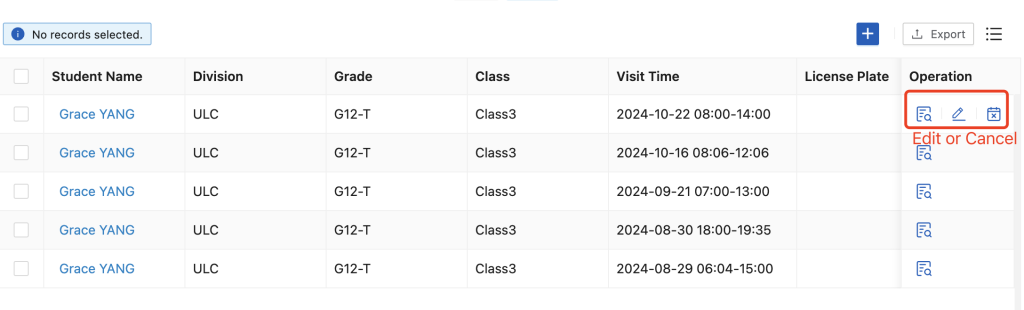
5. After submit, you can edit or cancel the appointment.
B.Parent submit appointment request
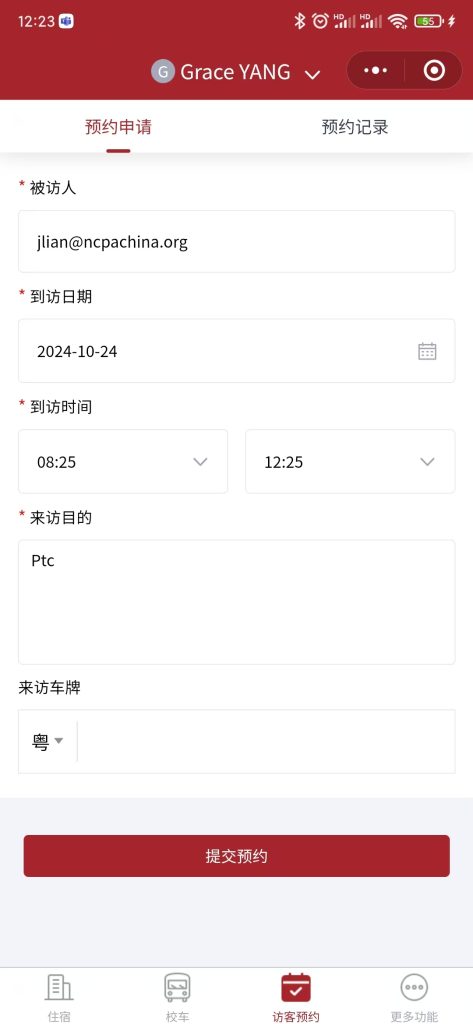
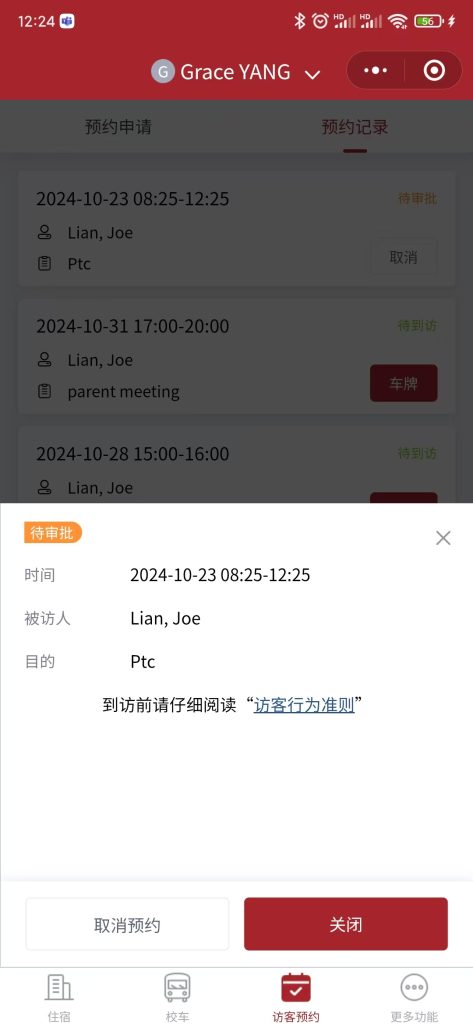
Parents can submit a appointment request on wechat mini program.
Please let parent know that don’t submit appointment request unless already confirm the date and time with teacher.
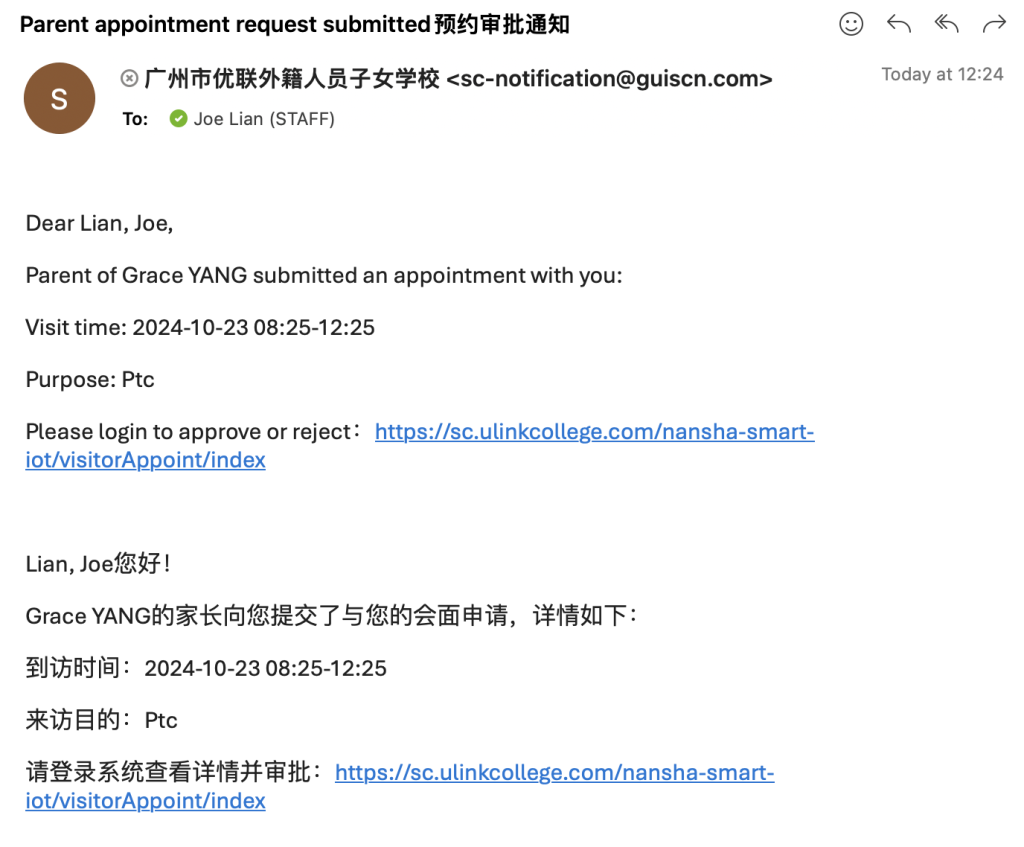
You will receive and email to approve the request.
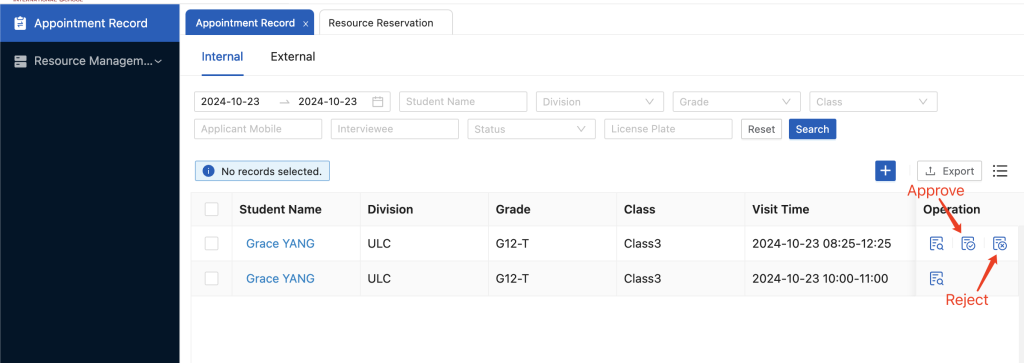
You can approve or reject the request.
After approved/reject, the parent will receive the notification on wechat.
C.Invite a non-parent visitor:
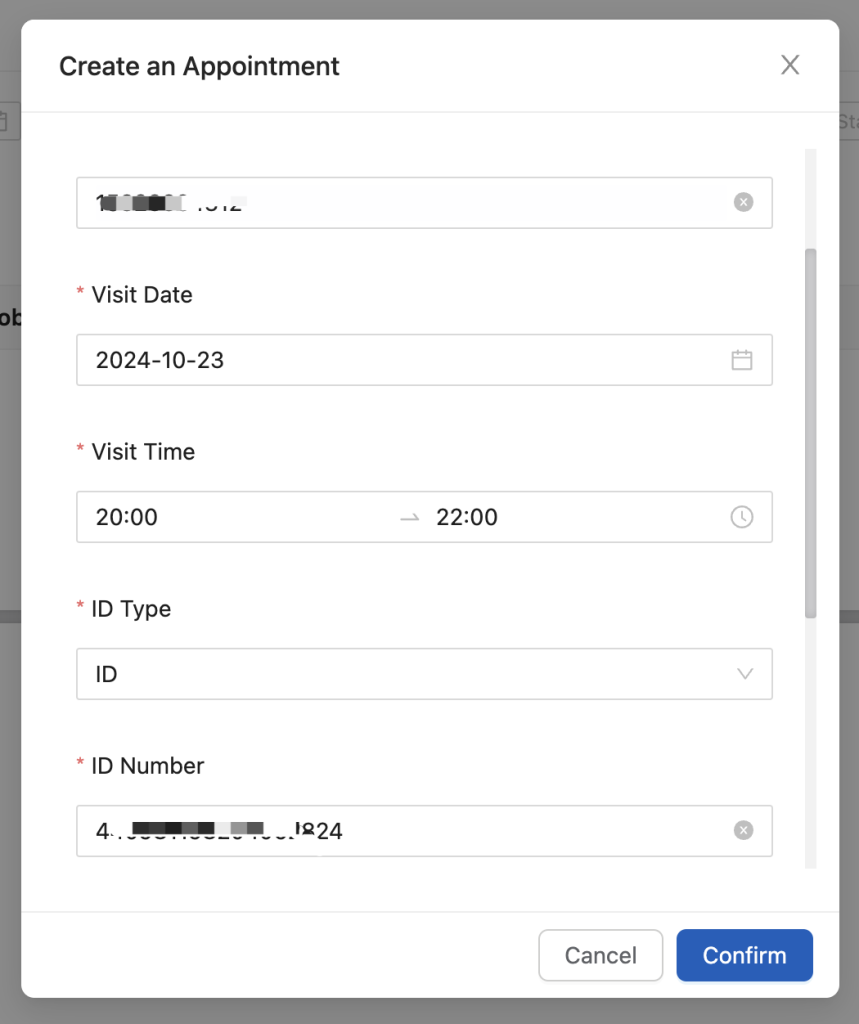
- You can create an External appointment with non-parent visitor(the visitor need has one China mobile phone number).
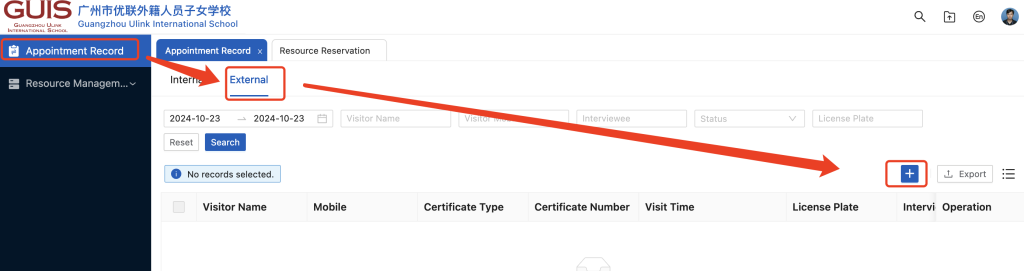
2. Input the visitor’s information.
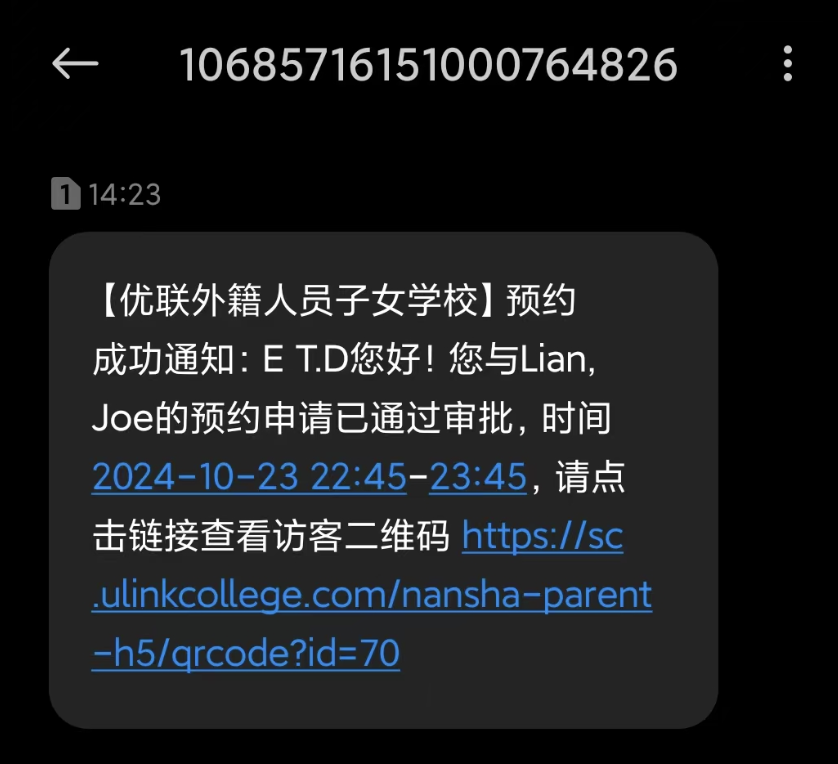
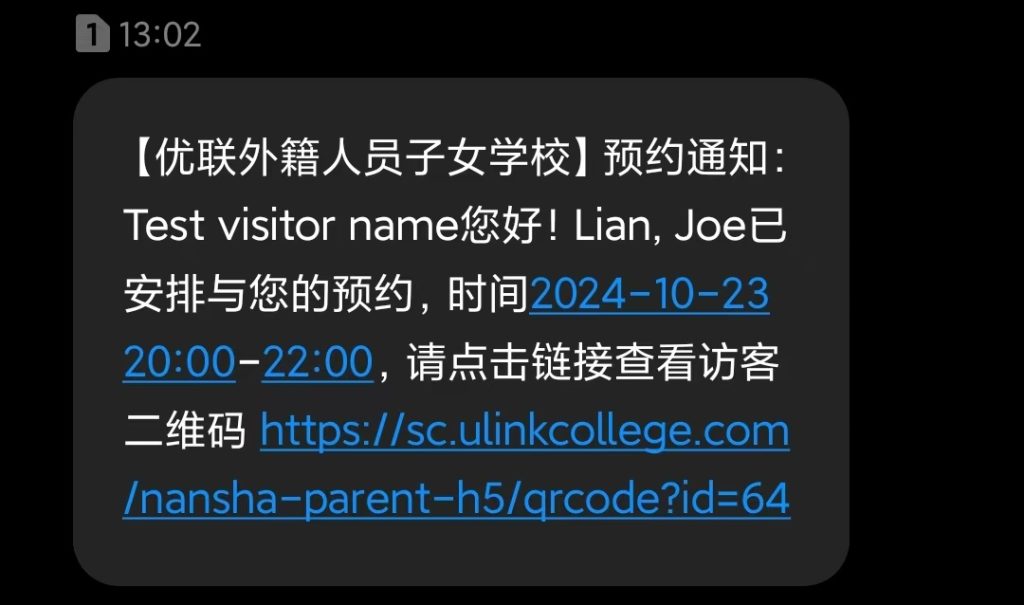
3. Visitor will receive SMS with visitor QR ode.
D.Non-parent request to visit:
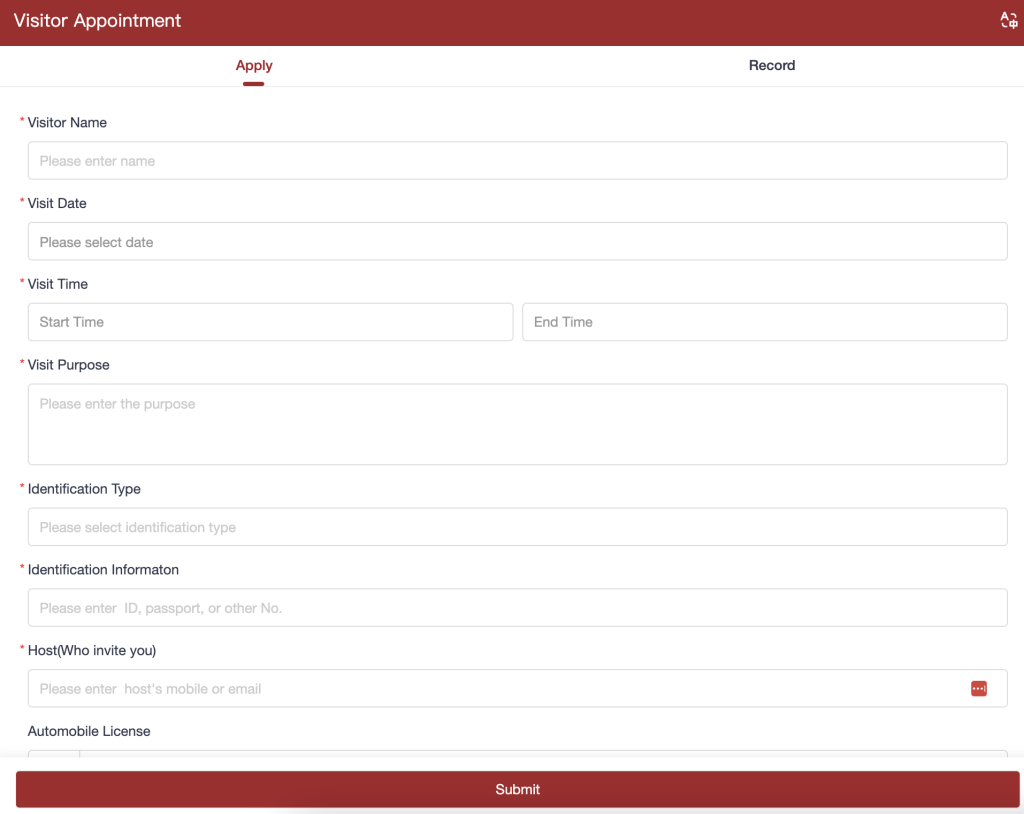
- You can send this link and your email address to visitor, let visitor finish the form by themself(the visitor need has one China mobile phone number): https://sc.ulinkcollege.com/visitor-appointment
2. You will receive and email to approve or reject the appointment.
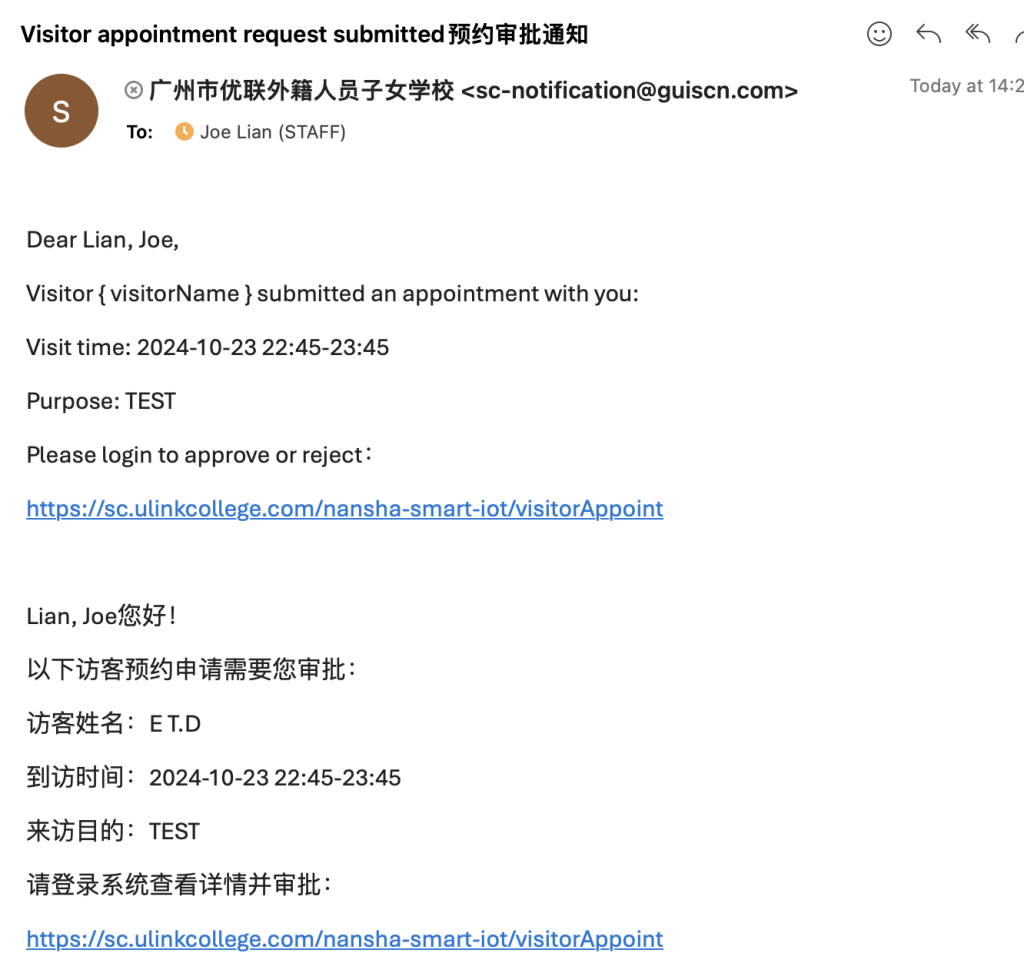
3. You can click the link to approve or reject the request.
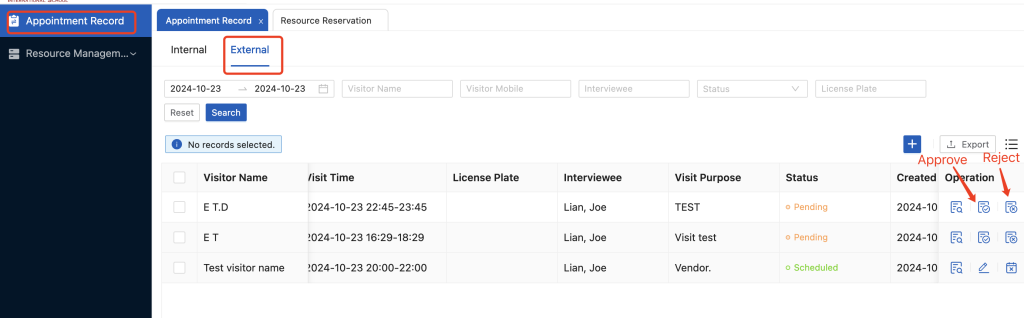
4. Visitor will receive SMS after you approve/reject.