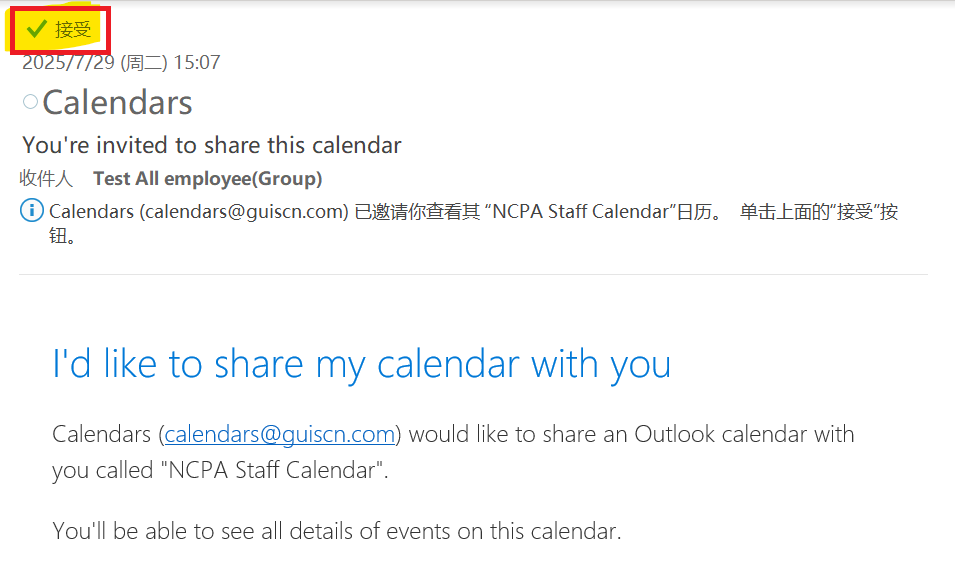
Starting from the 25-26 academic year, we will be using new shared calendars throughout the school. The following is an introduction to the relevant calendars.
1、 Calendar Introduction
| Calendar Name | Description |
|---|---|
| GUIS Calendar | GUIS whole school public events |
| GUIS Staff Calendar | GUIS whole school staff only events |
| NCPA School Calendar | NCPA public events |
| NCPA Staff Calendar | NCPA staff only events |
| NCPA Day Rotation | NCPA day rotation |
| ULC School Calendar | ULC public events |
| ULC Staff Calendar | ULC staff only events |
| MS School Calendar | MS public events |
| MS Staff Calendar | MS staff only events |
| MS Day Rotation | MS day rotation |
| SunGlint Calendar | SunGlint public events |
| SunGlint Staff Calendar | SunGlint staff only events |
| Boarding Calendar | Boarding public events |
| HR Calendar | HR department public events |
| Finance Calendar | Finance department public events |
| Operations Calendar | Operations department public events |
2、 Accept invitation
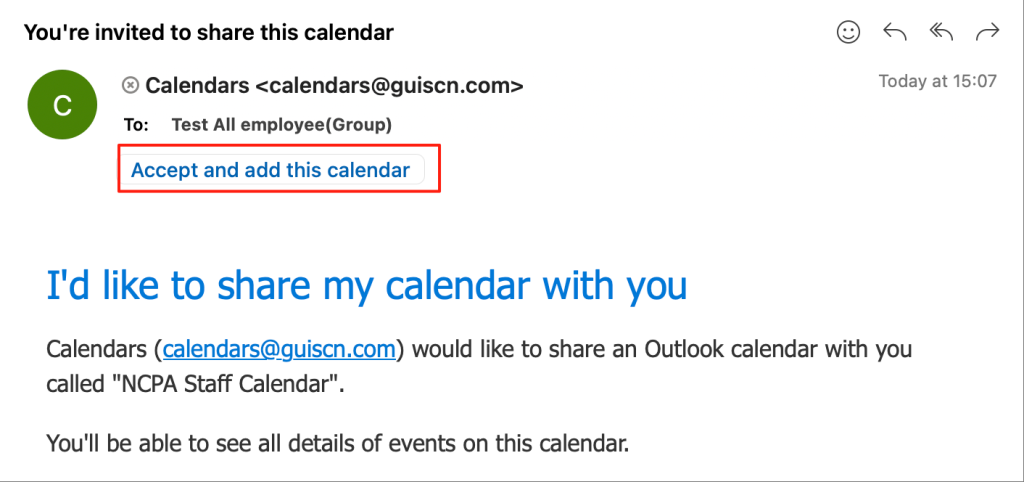
You will receive invitations for every calendar, please check your mailbox, and follow the instructions to access the calendars.
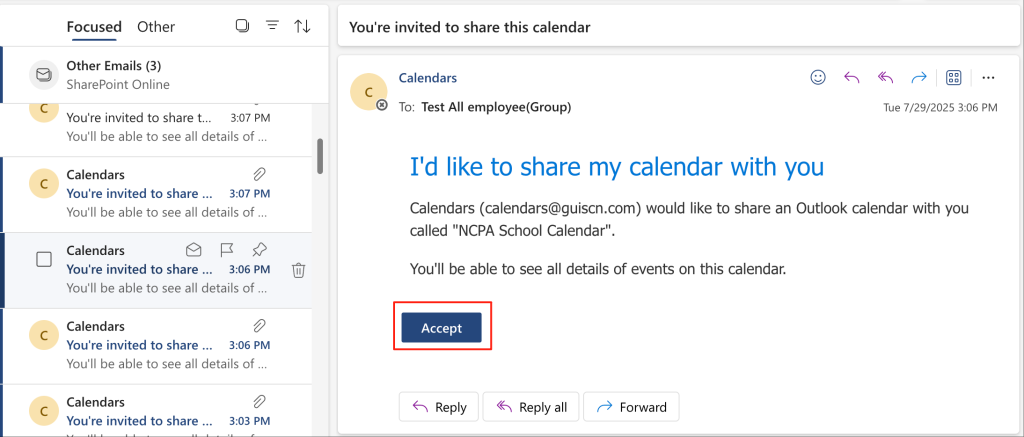
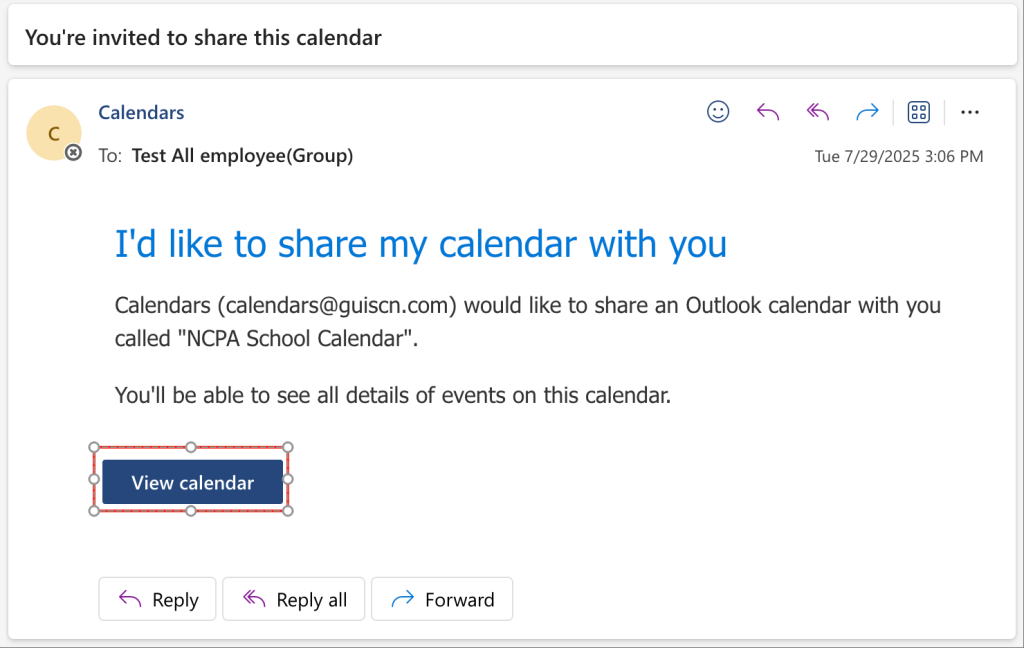
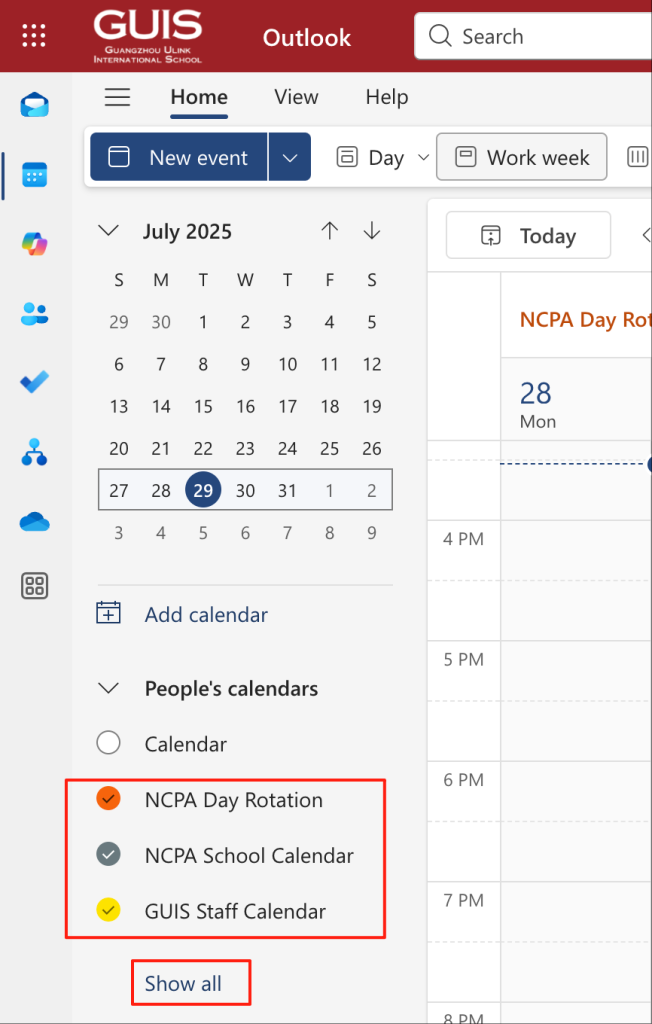
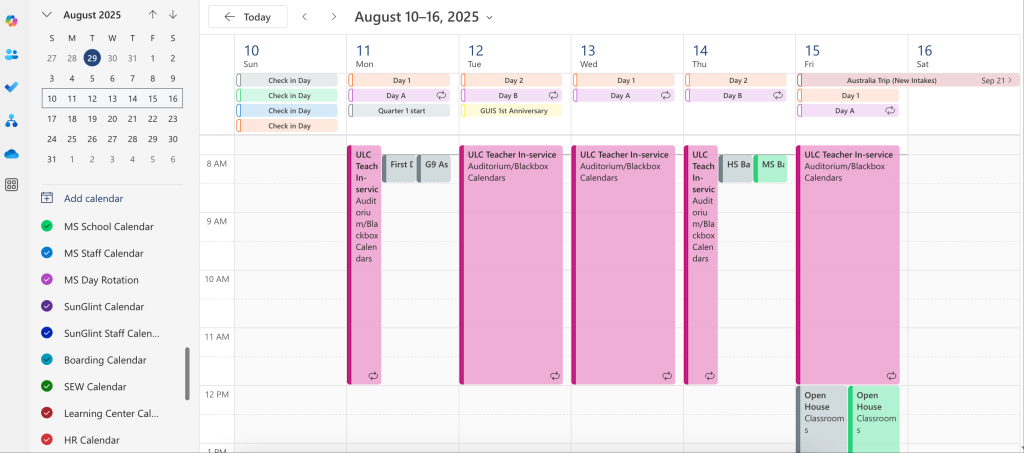
If you are using desktop outlook(mac or windows), it will take several minutes to sync the calendars after you click the Accept button. At the same time, the screen should be a little different with above screenshots.
Mac:
Windows: