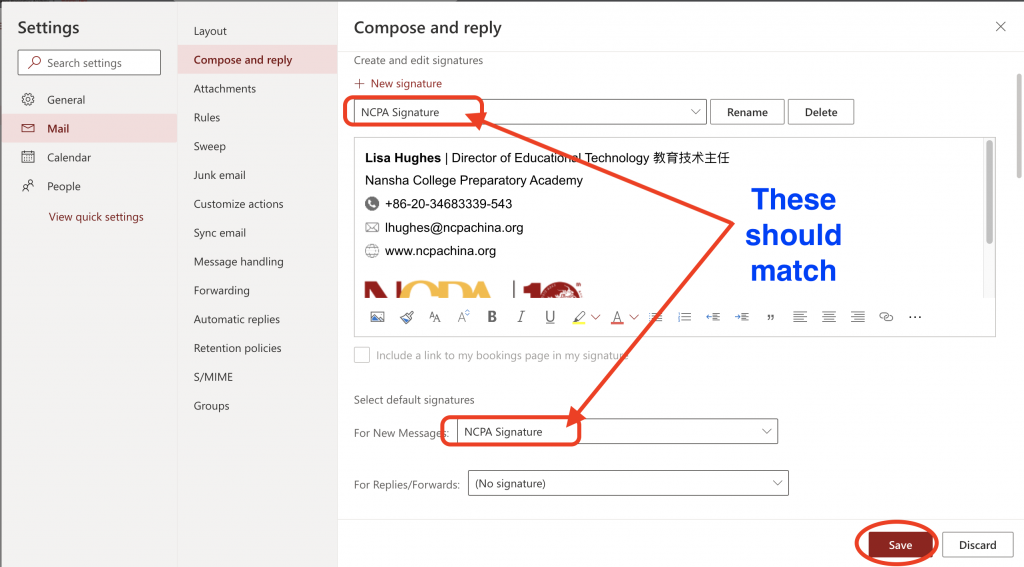
1.Using a standardized e-mail signature increases the professionalism of communications with internal and external parties. The official NCPA signature format is as below.

2.Please open the following link (avoid using Safari) to find your signature (you can use CMD+F in Mac and Ctrl+F in Windows to search your name). Select your signature and copy.
https://www.ncpachina.org/repo/signatures.html
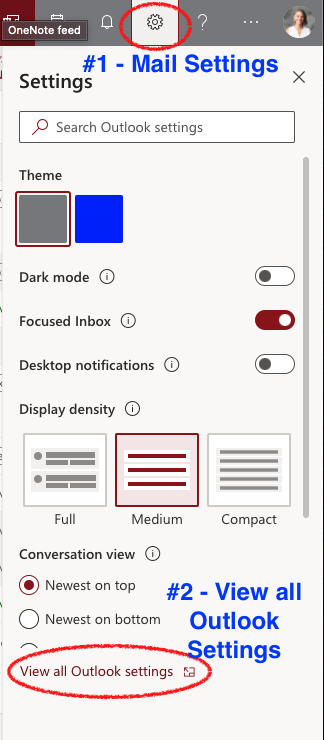
3.In Outlook, go to your settings, and view all Outlook Settings:
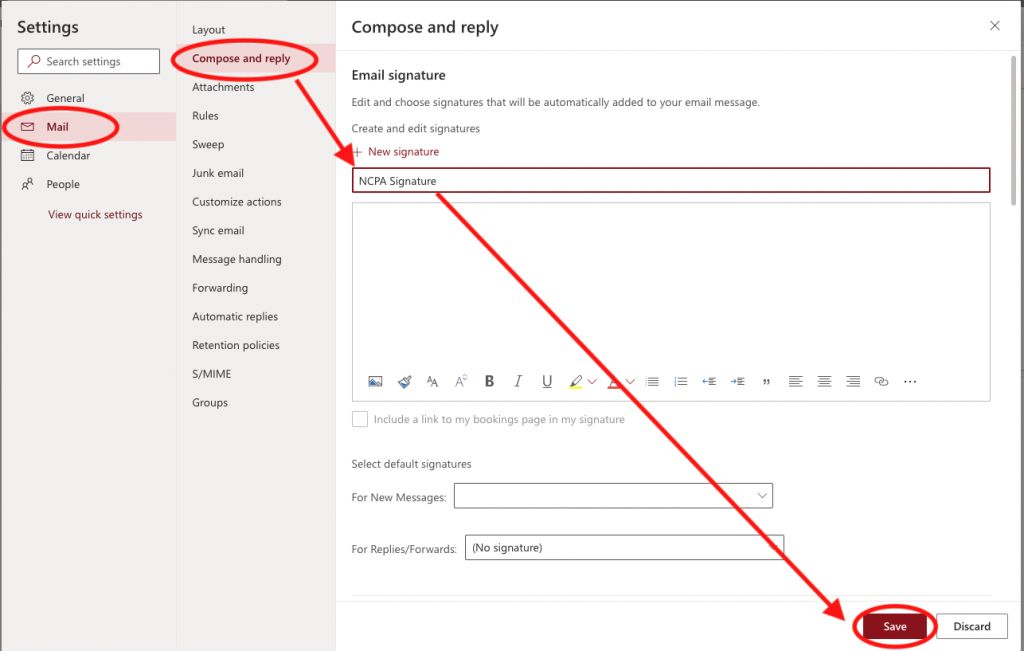
4. In Mail Settings –> Compose and Reply. In the box that says “Edit signature name”, create a name for your signature. For Example, “NCPA Signature”. Then click “Save”
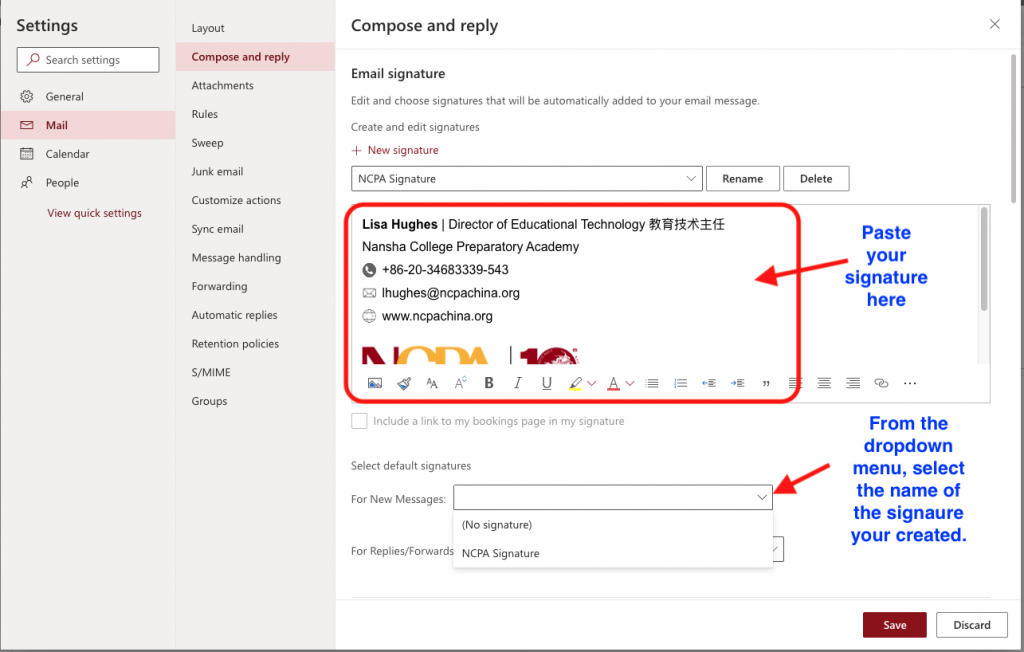
5. Paste your signature in the message box. Select the name you chose for the new signature from the drop down menu.
6. Make sure the following selections match. Click “Save”.