Table of Contents
If you are trying to do color print using Chrome / Edge, don’t use the chrome / Edge color setting.
Change to “system dialog” #
Change third-party software color setting #
Open the third-party software (eg Chrome / Edge) Print dialog #
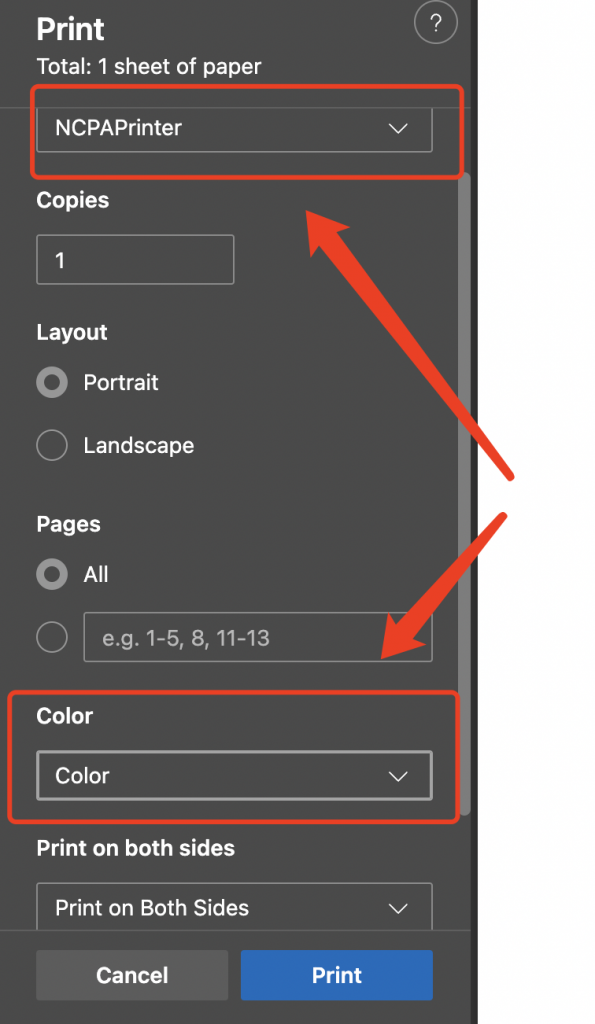
Change printing software color setting #
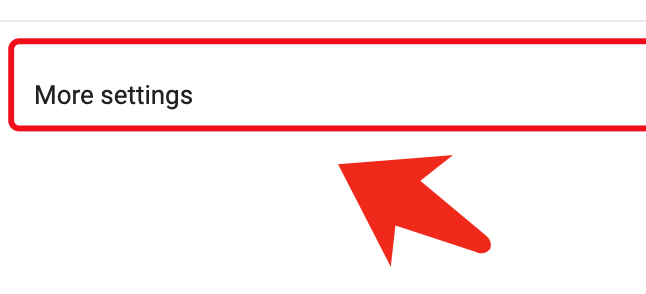
Click more settings #
Click “Print using system dialog” #
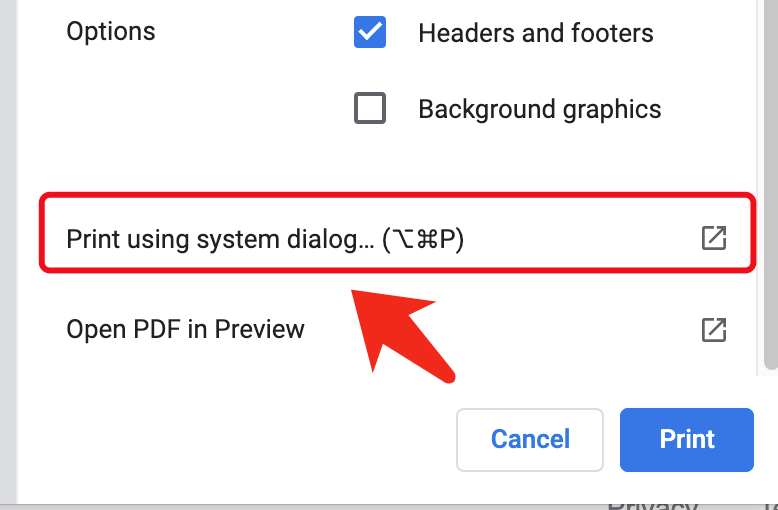
In the popup dialog select “show details” then “printing feature“ #
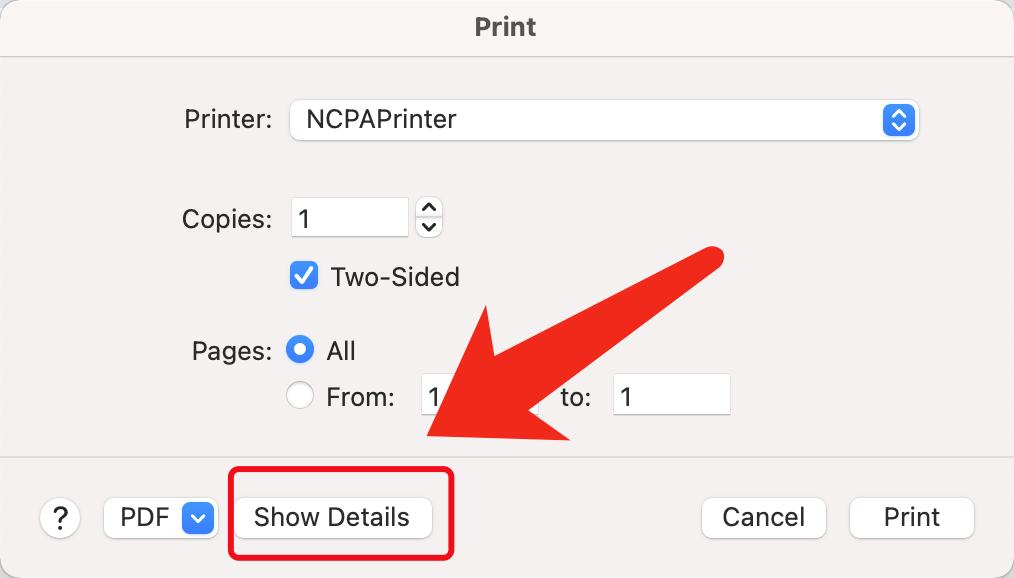
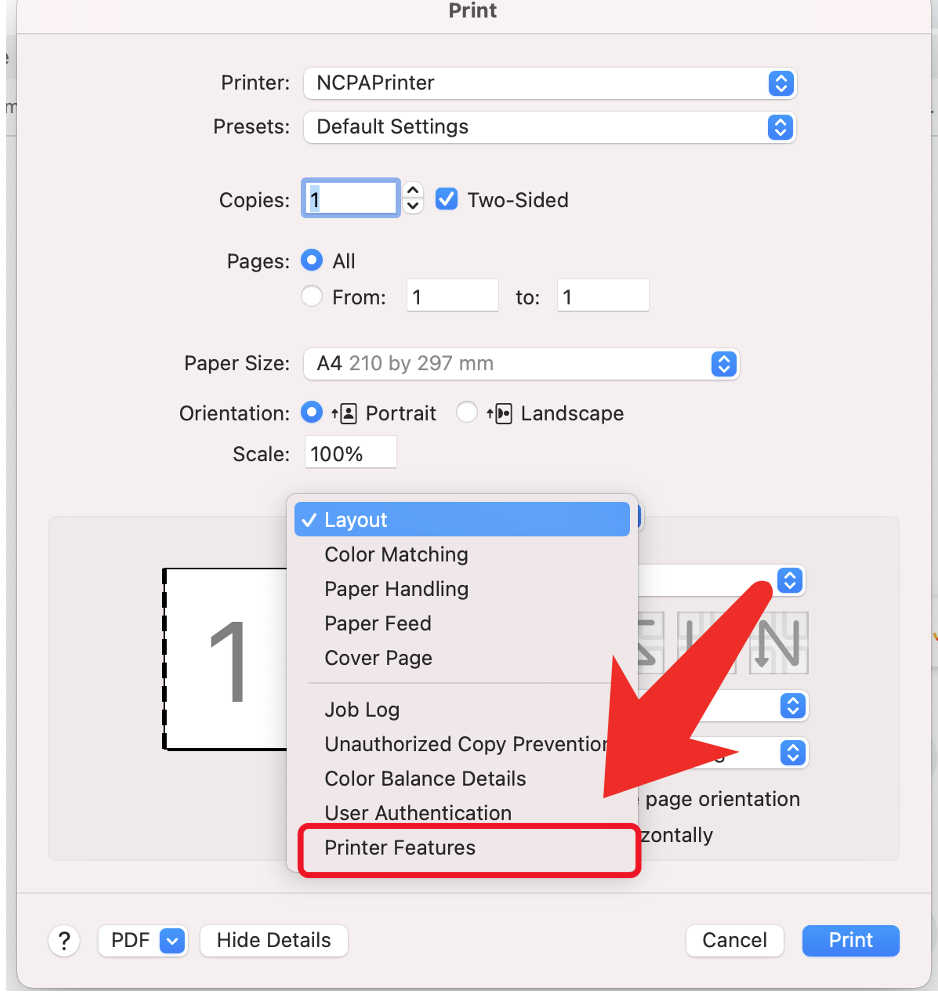
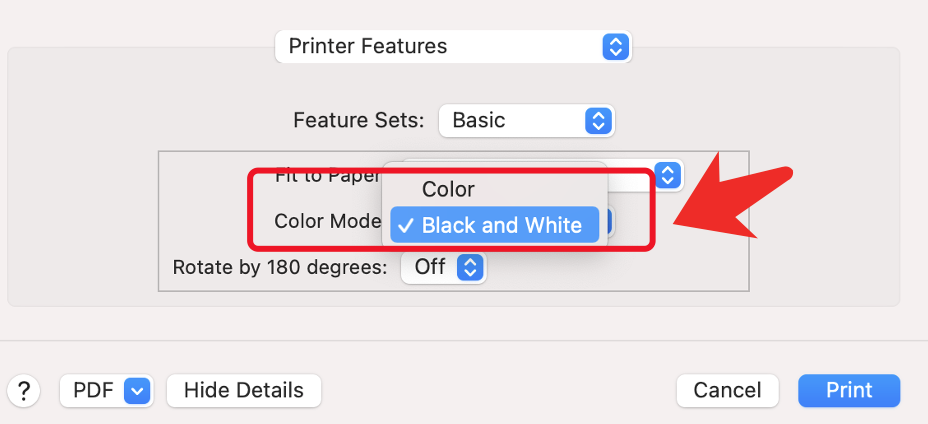
Select “Color“ in ”Color mode“ setting #