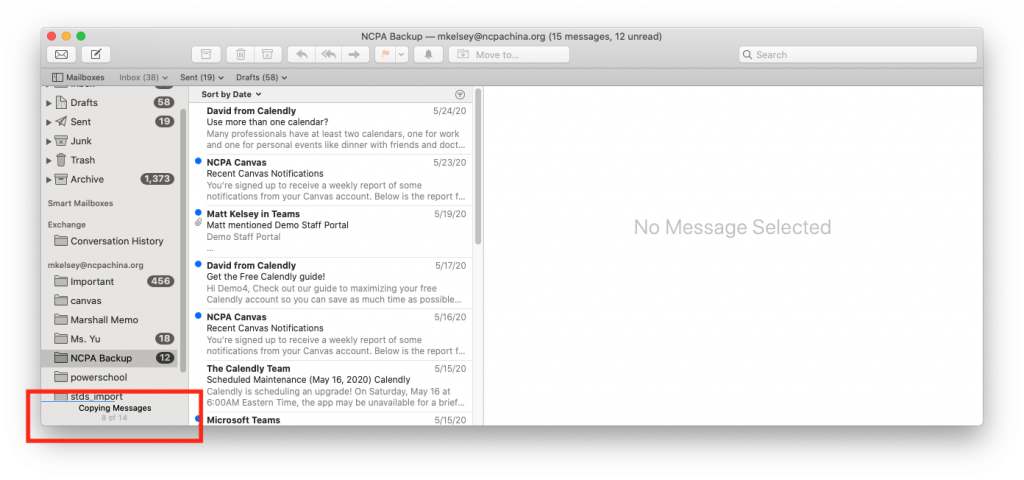
You’ll lose access to your GUIS Office 365 account some time after you leave GUIS (immediately for withdrawing students and departing teachers; three months after graduation for alumni). If you want to save your e-mail messages, follow these instructions using the Apple Mail program on your MacBook.
1. Add your GUIS e-mail account as an Exchange mail account
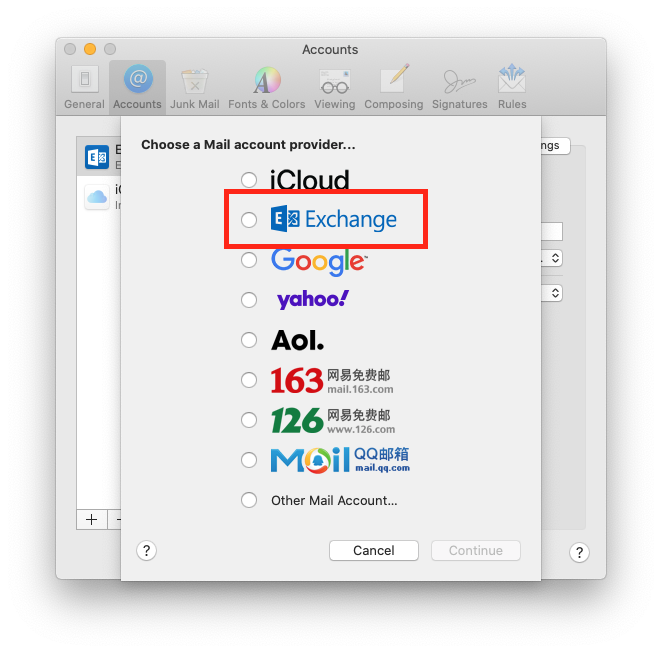
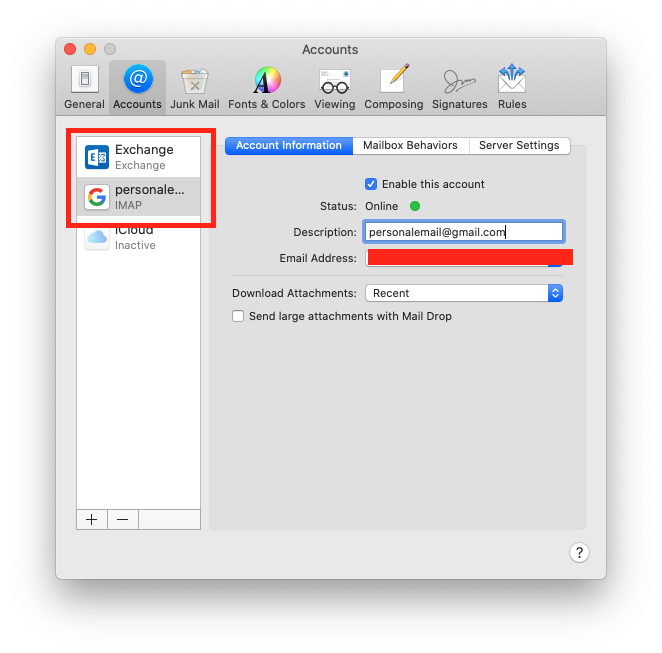
2. Add your personal e-mail account, such as a Google or 163 account. After adding your personal e-mail account to the Mail app, you’ll have two accounts set up:
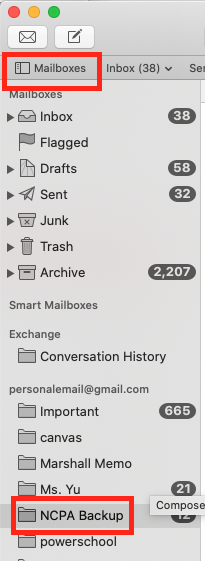
3. You can see the list of folders in your e-mail accounts by clicking on the Mailboxes button. Create a folder in your personal e-mail to contain your GUIS messages. For example, you can call it “GUIS Backup.”
4. Then, drag messages from your GUIS e-mail account to the folder you created in your personal e-mail account.
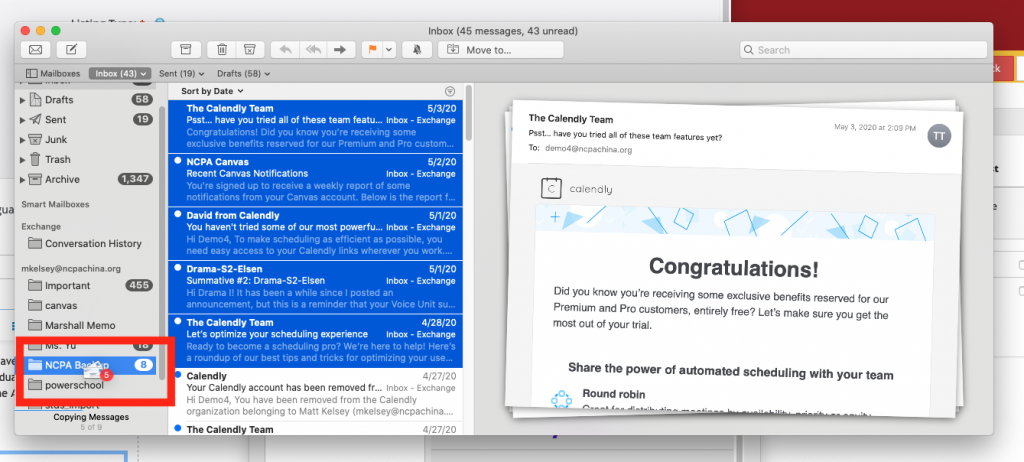
5. Mail will begin to copy your messages. Warning: if you drag all of your e-mail messages to the backup folder, it will take a long time (probably 24-48 hours) to copy. You must leave your computer on while Mail copies the messages.