
Do you need to add a co-teacher or a student to a Canvas course? Follow the steps below to learn how.
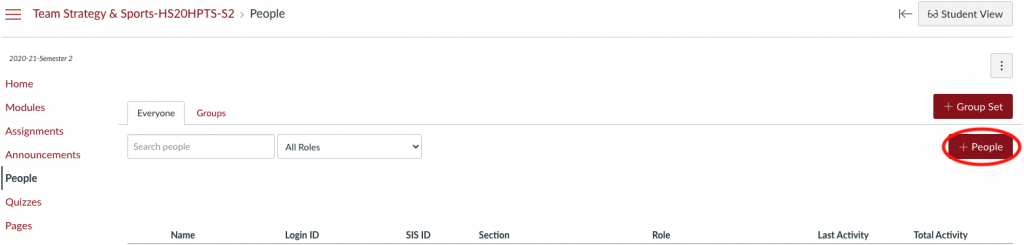
Step #1 – Open the Canvas course that you would like to add a co-teacher or student. Click “People” on the left-hand menu.

Step #2 – Click the button on the right to add people +People
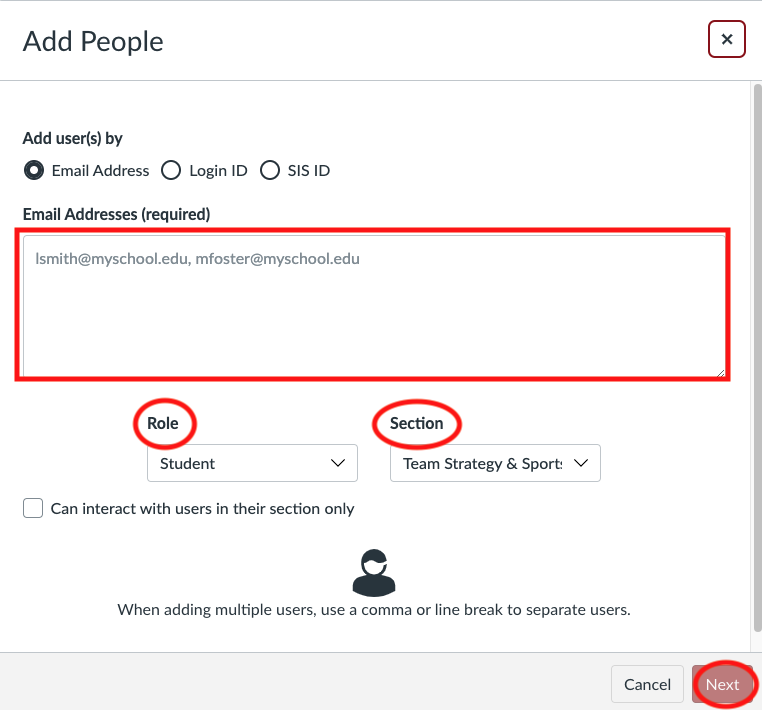
Step #3 – Fill in the email of the person you would like to add, indicate their role, and if applicable, the section you would like to add them to. Then click “Next”
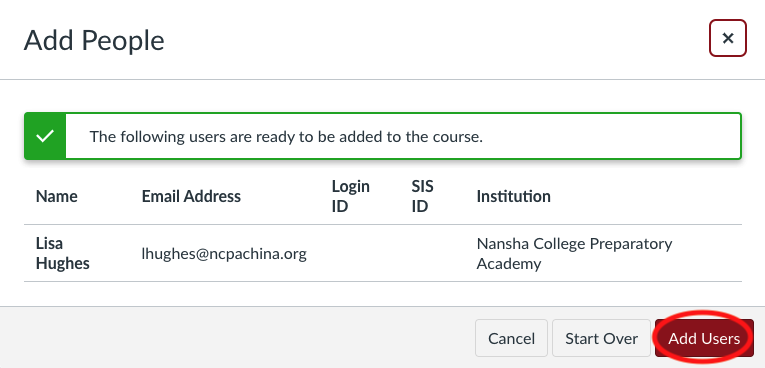
Step #4 – After you click next from the previous step, you will need to confirm that you would like to “Add Users”
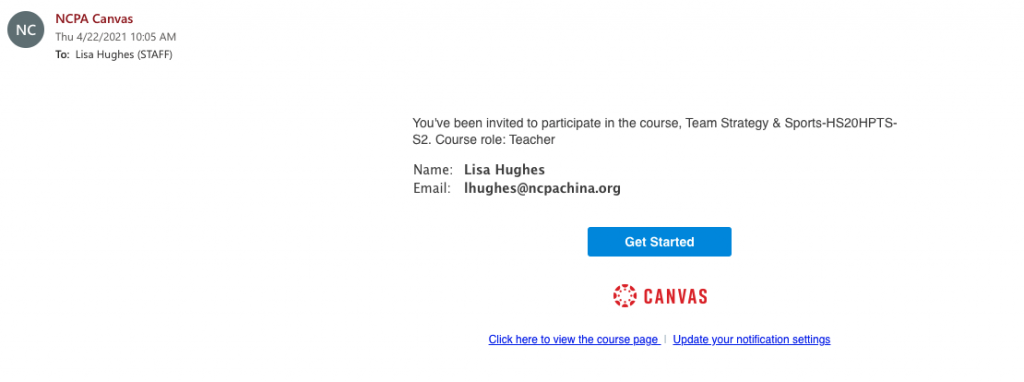
Step #5 – The user will receive an email and see a notification when they login to Canvas. They will need to click “Accept” in order to have access to the course.

If you need to remove a user from your Canvas Course, please submit a ticket to the IT HelpDesk
helpdesk@ncpachina.org