View Categories

If printer modify/partial scale/shows error in the printing page (not as expected)

< 1 min read

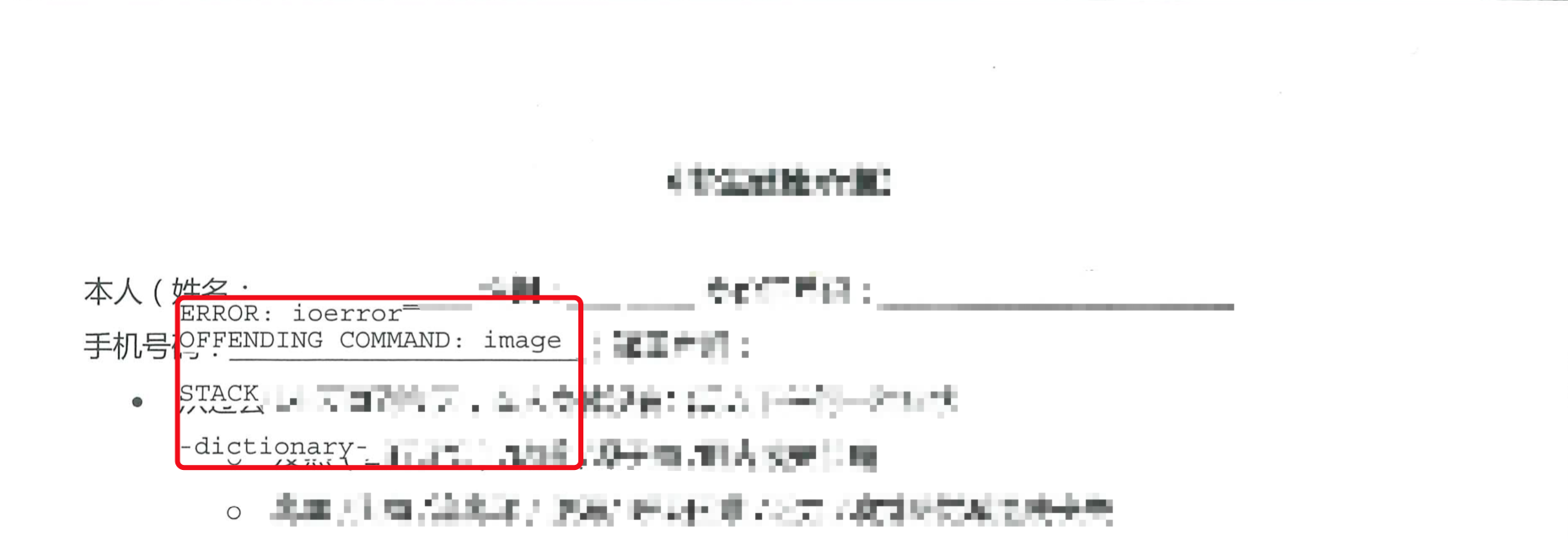
Issue example:

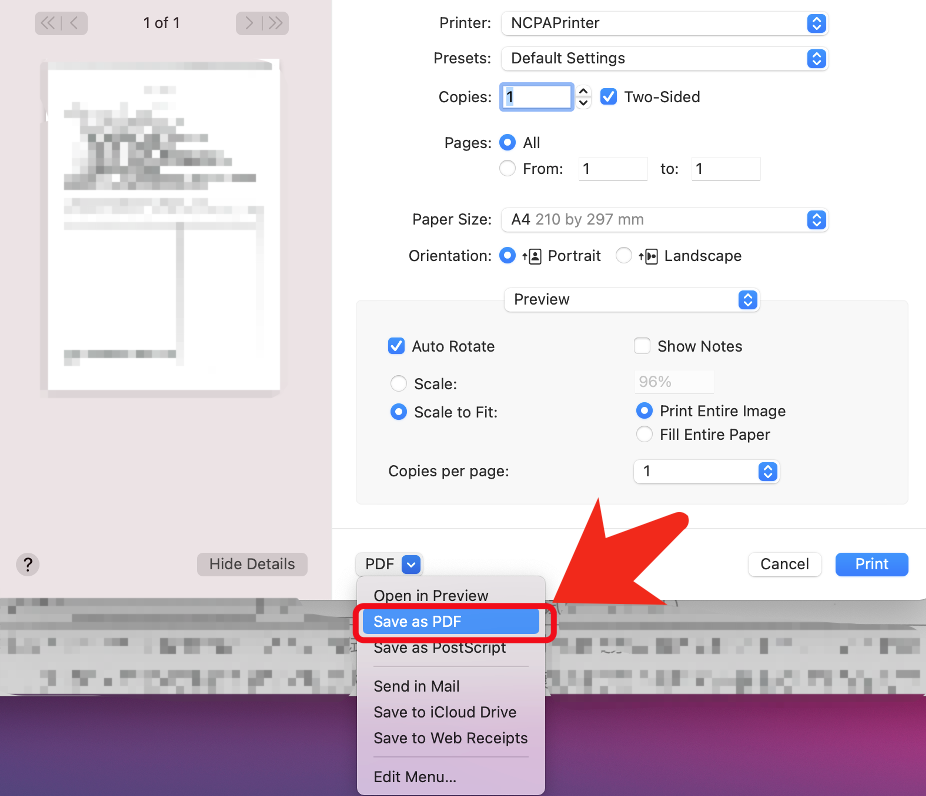
Save your document as PDF #
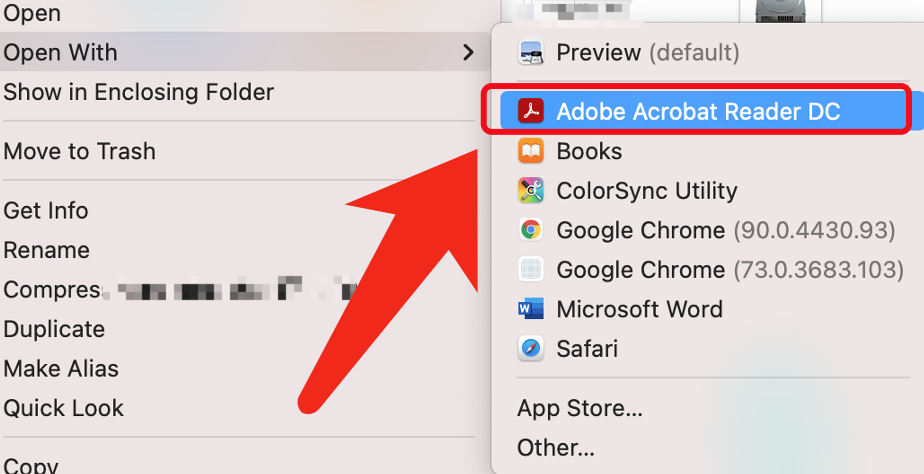
Open the saved PDF file using “Adobe Acrobat Reader” #

You might need to install the NCPA Software Center to get the “Adobe Acrobat Reader”
Printer as image #
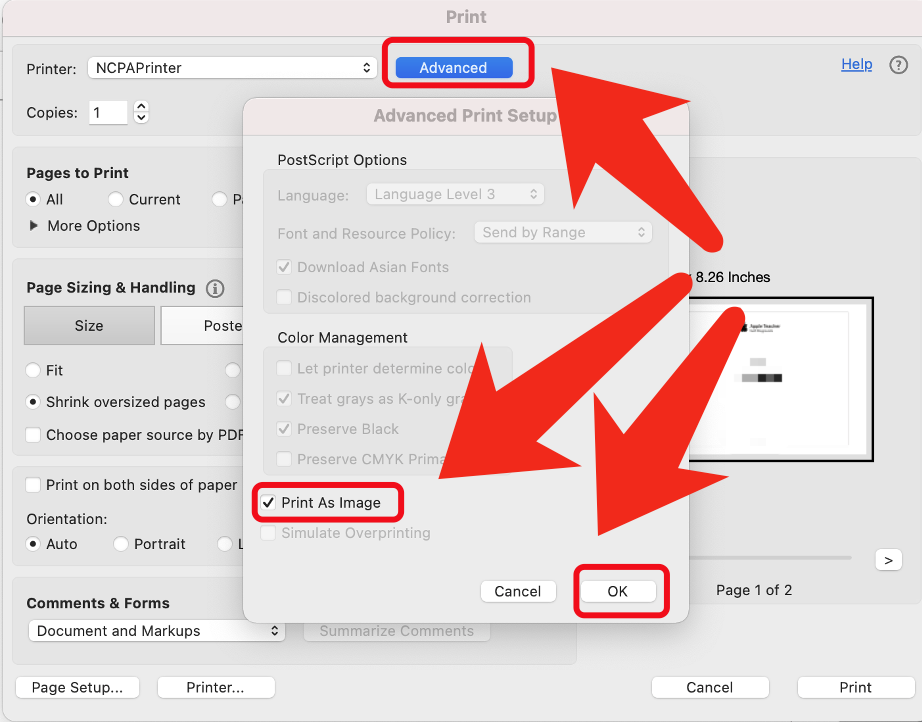
You can also adjust the color setting in the “printer” bottom #
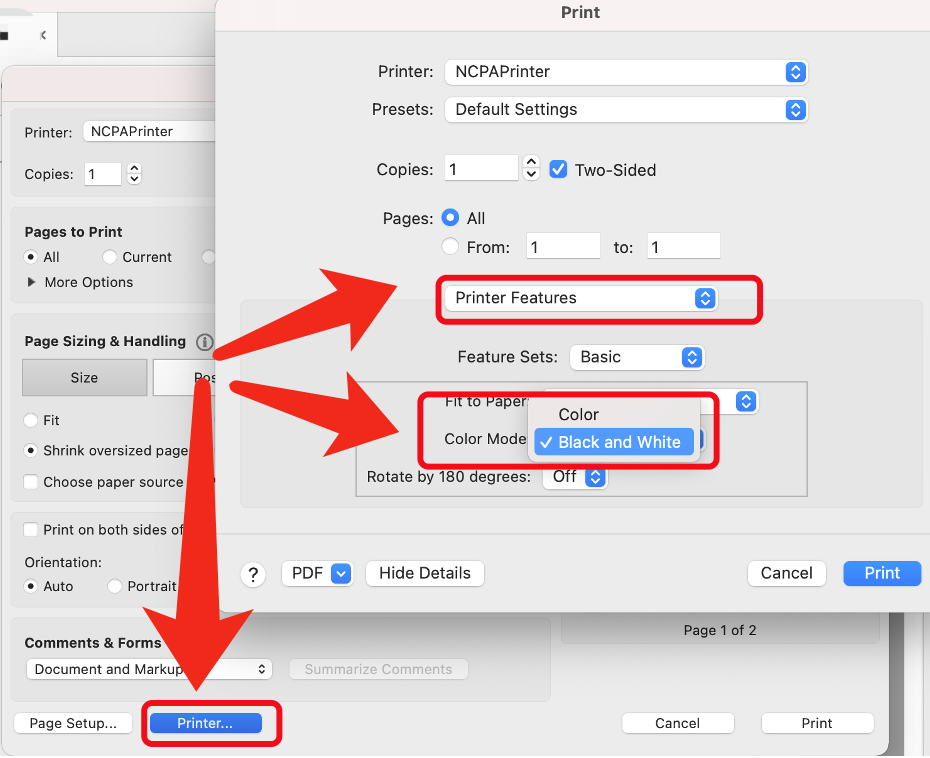
Recommend to check Color setting in next print to avoid unwanted deductions #

The login method for limited content on this website has been changed to GUISCN.COM's NetID, please use the corresponding browser user profile

本网站受限内容的登录方式已更改为GUISCN.COM的网络身份认证,请使用对应的浏览器用户配置文件

X