
From the Staff Portal, you can find “Summer Checkout Form” under HR & Finance.
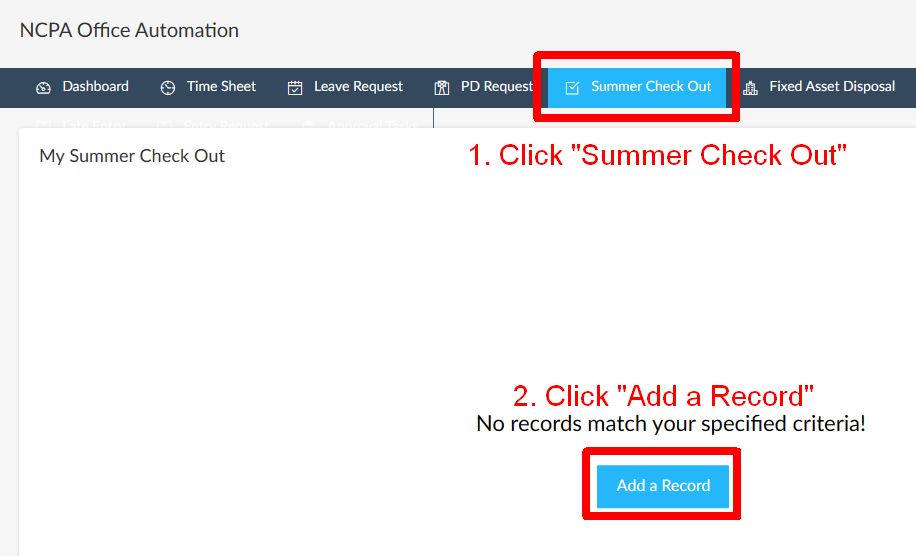
If you are a first-year teacher at NCPA, click the Summer Check Out link and “Add a Record”:
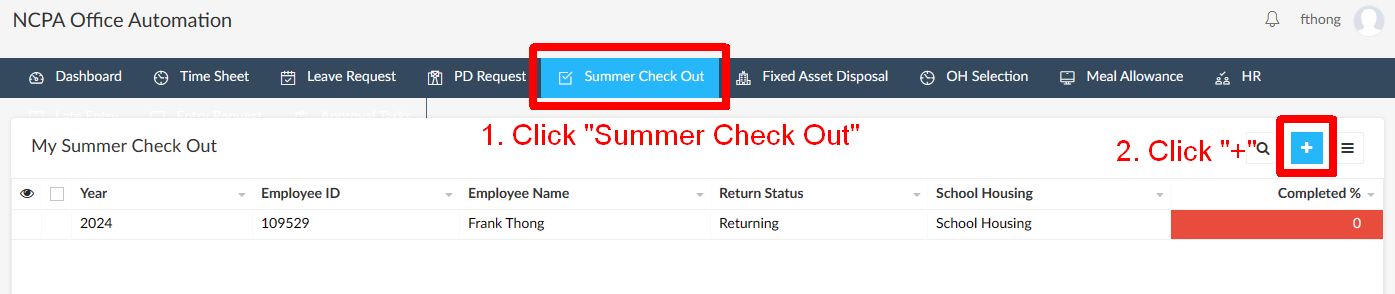
If you have completed the form in previous years, click the Summer Check Out link and “+” at the top right side of the form:
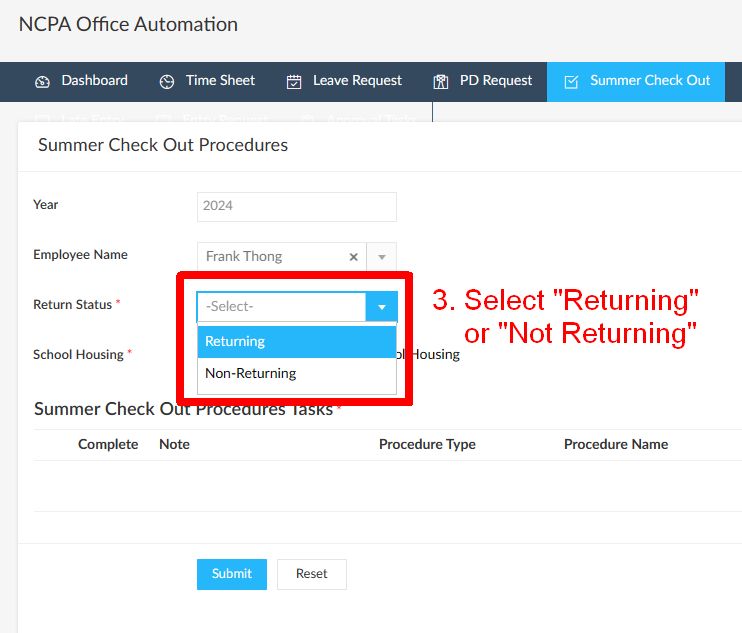
Next, check that your name appears.
- Select your “Return Status”
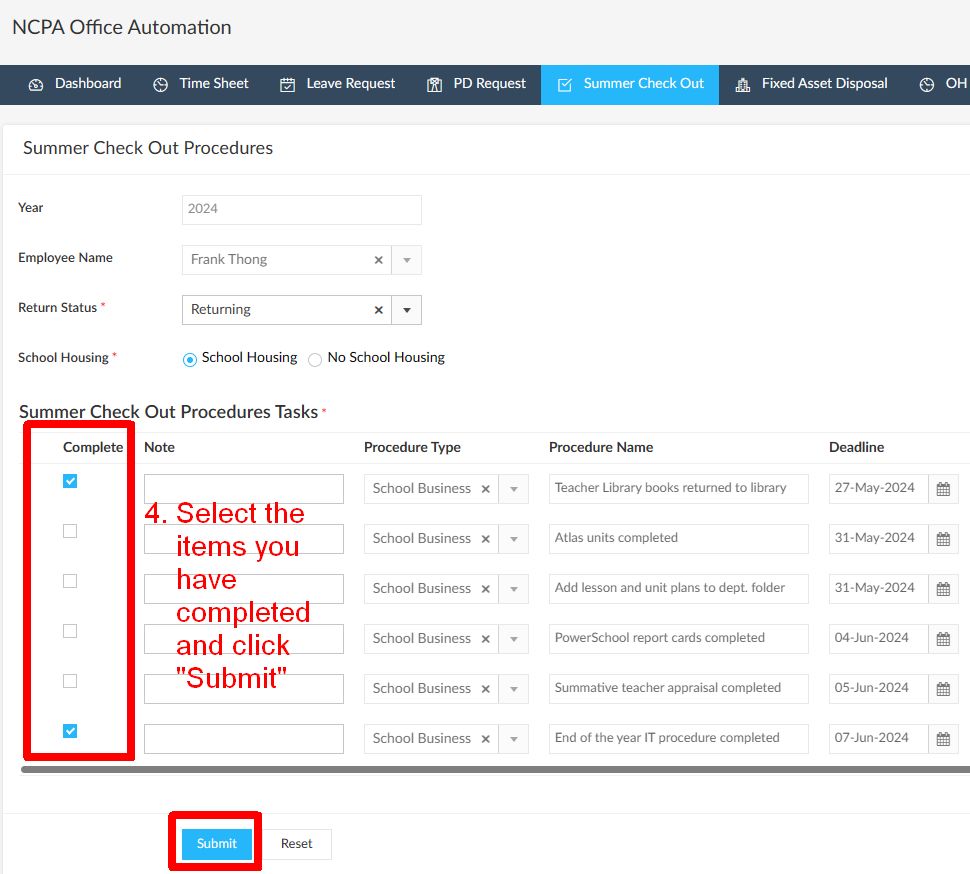
- Click “Submit”
Now you can select and submit the completed items.
If you need to return at a later date to check the progress and to submit additional items, please follow this link to learn how it’s done.