
- If you already installed NCPA Software Center, just skip this step 1. If not, access https://itst.guiscn.com/kb/install-ncpa-software-center/ to download NCPA Software Center and install it
- Launch the app NCPA Software Center
3. Go to menu Navigate > Reload Page
4. Click UPDATE. (If there is “no pending update” for NWEA Secure Testing Browser, your app is already up to date, skip the rest steps)
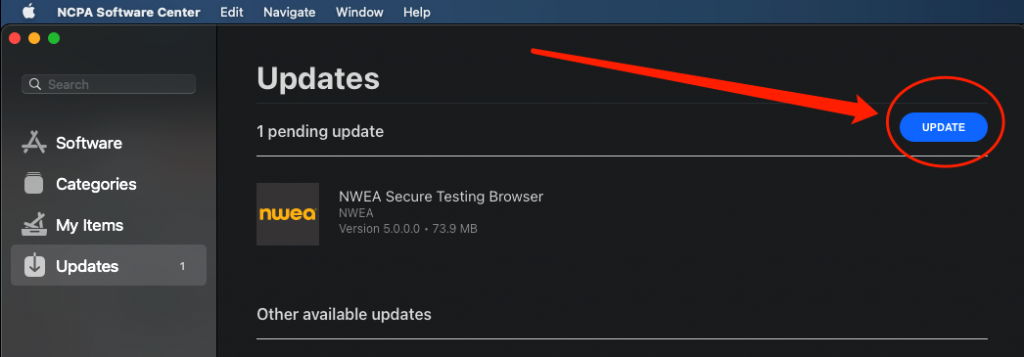
5. Then the app installation will start automatically for NWEA Secure Testing Browser, just wait for a few seconds
6. Launch the app NWEA Secure Testing Browser on your Launchpad
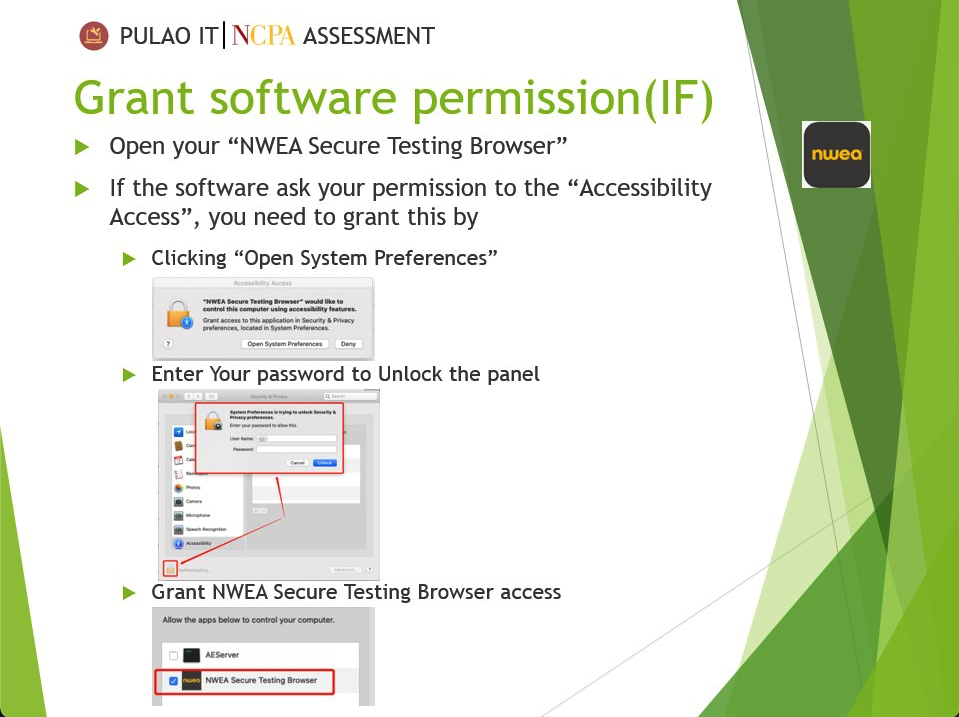
7. If it requests permissions, please allow it by following the on-screen instructions
8. If still have trouble running the app, please visit IT Helpdesk (Work Hours – IT Staff; Study Hall – TST students)