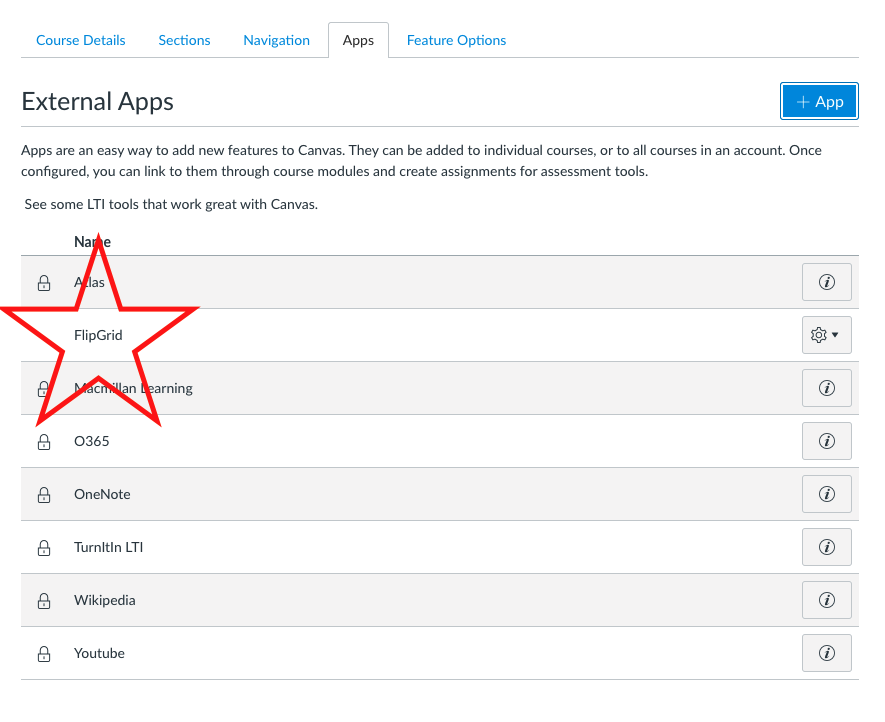
It is possible to connect your Flipgrid account with Canvas! The perks of the integration include:
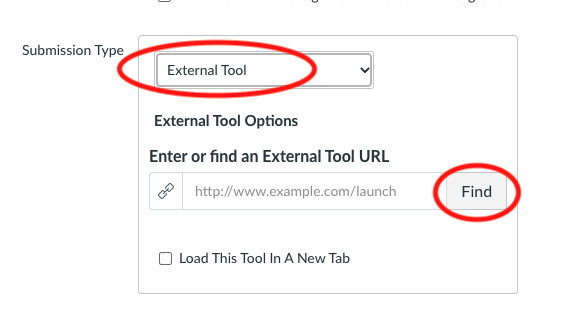
- Create Canvas assignments and have student submit their work to Flipgrid
- Give students direct access to your Flipgrid topics so they do not need to login
Here are the steps to install Flipgrid.
- Start by opening your Flipgrid account. If you do not have one, go to flipgrid.com and sign up as an educator.
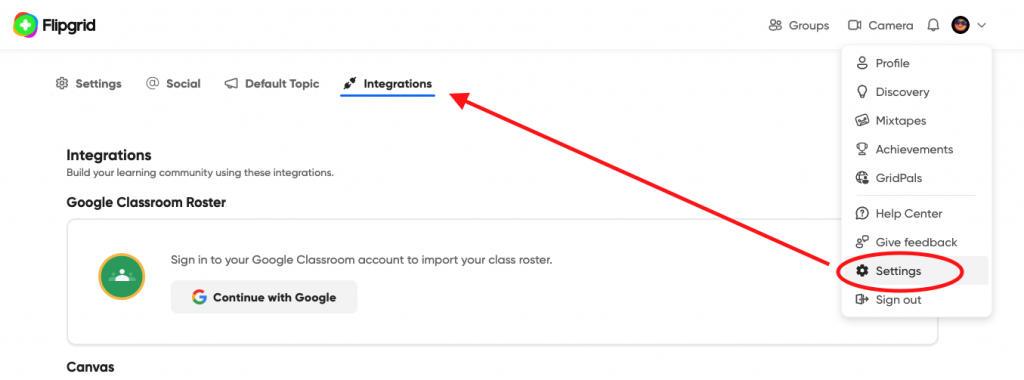
- Click your profile icon in the top right-hand corner, then select Settings–> Integrations
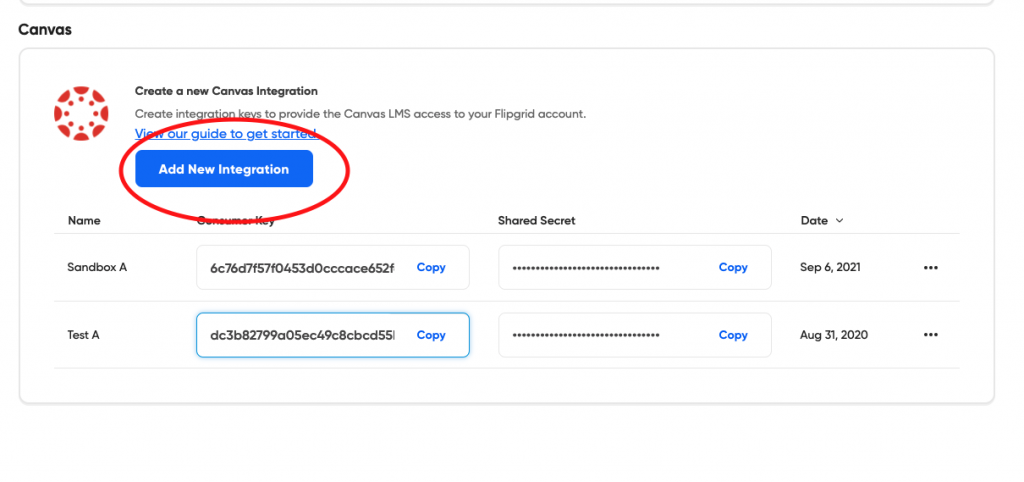
2. Scroll down and Select “Add New Integration”. It will generate a line with a consumer and shared secret key as in the example below. I recommend doing this for each different course you choose.
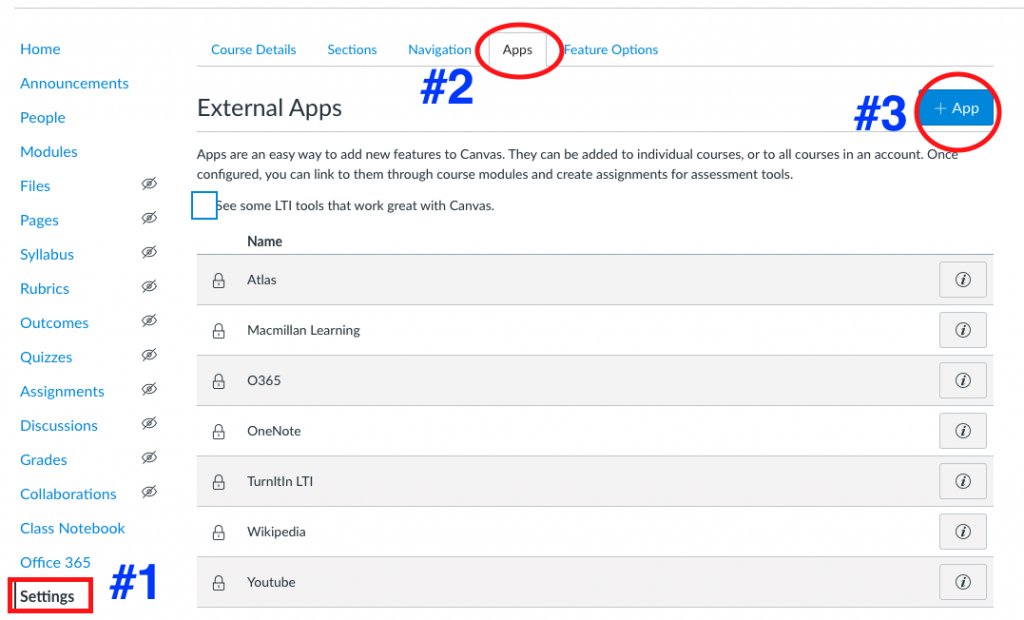
3. Open a course in Canvas that you would like to integrate with Flipgrid. Go to Settings –> Apps –> +APP
4. Complete the information as follows:
This is the URL to paste in the box that says “Config URL”
https://static.flipgrid.com/source/canvas/flipgrid_canvas.xml
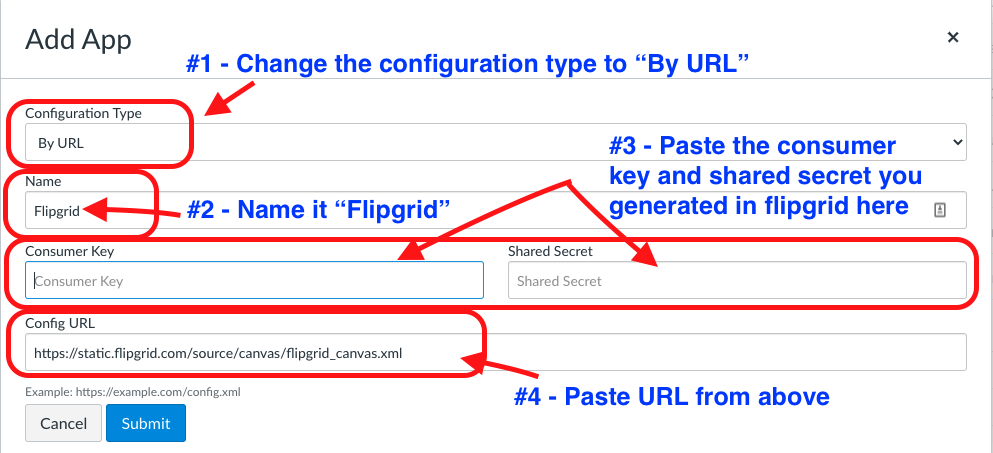
5. Submit, and you will now see Flipgrid on your list of Apps.