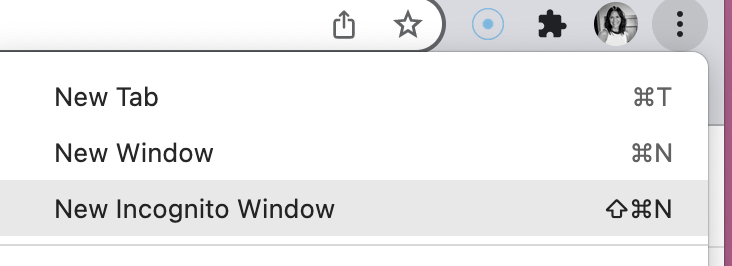
Deleting cache and browser data can be a burden since it signs you out of all of your accounts. If you are having difficulty loading content on one site, try the following. First, we recommend trying the site in incognito mode. Incognito mode opens a new window with no prior browsing history.
Click the three dots in your Chrome / Edge browser –> New Incognito Window
If the site is still missing updated content, you may consider clearing only data for a particular site. Follow these steps to clear cache for one site:
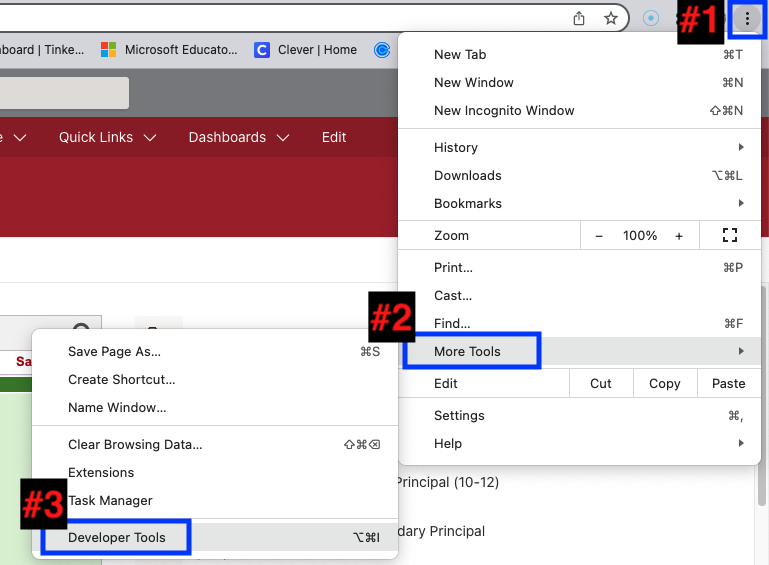
In Chrome / Edge, click the three dots then –> More Tools –> Developer Tools
A window will appear that looks like this
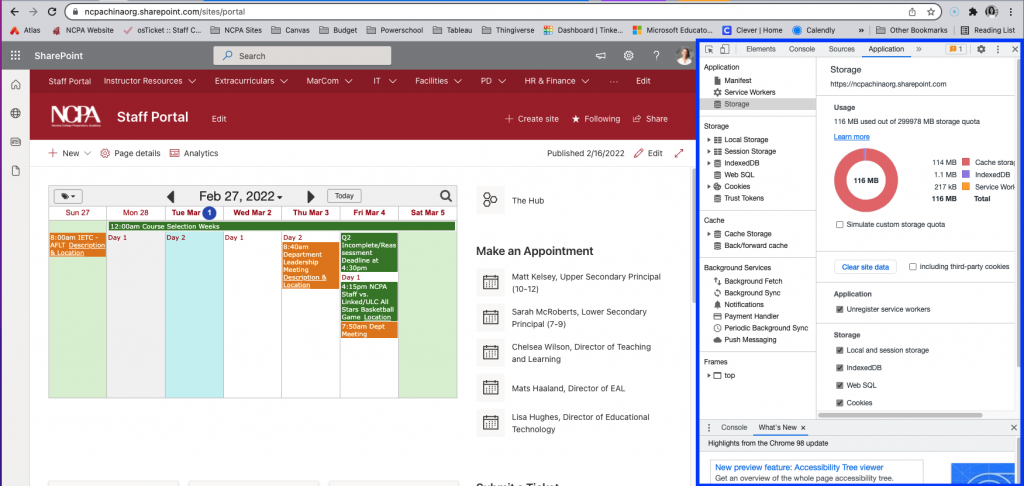
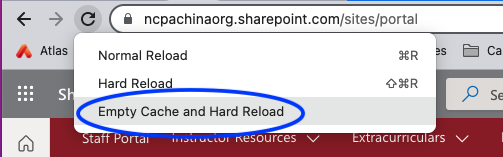
Right-click the Refresh button and more options will appear. Select “Empty Cache and Hard Reload”
Your site data is cleared.
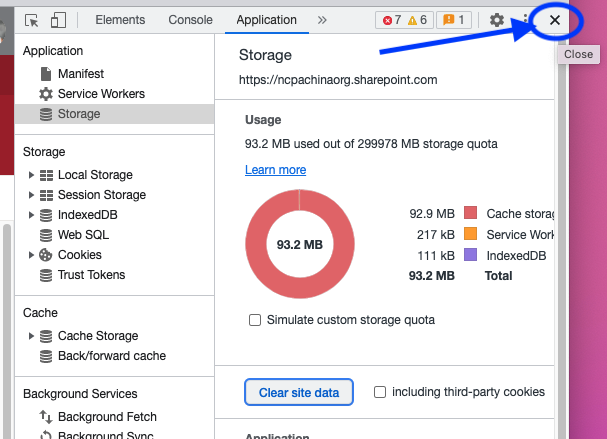
Click the “x” to close the developer tools window