
Click below link, and use your GUIS email account login.
Please note that you can only submit a study hall record after it has occurred; you cannot submit a record for a future date.
ULC: https://ulinkcollege.zohocreatorportal.com.cn/
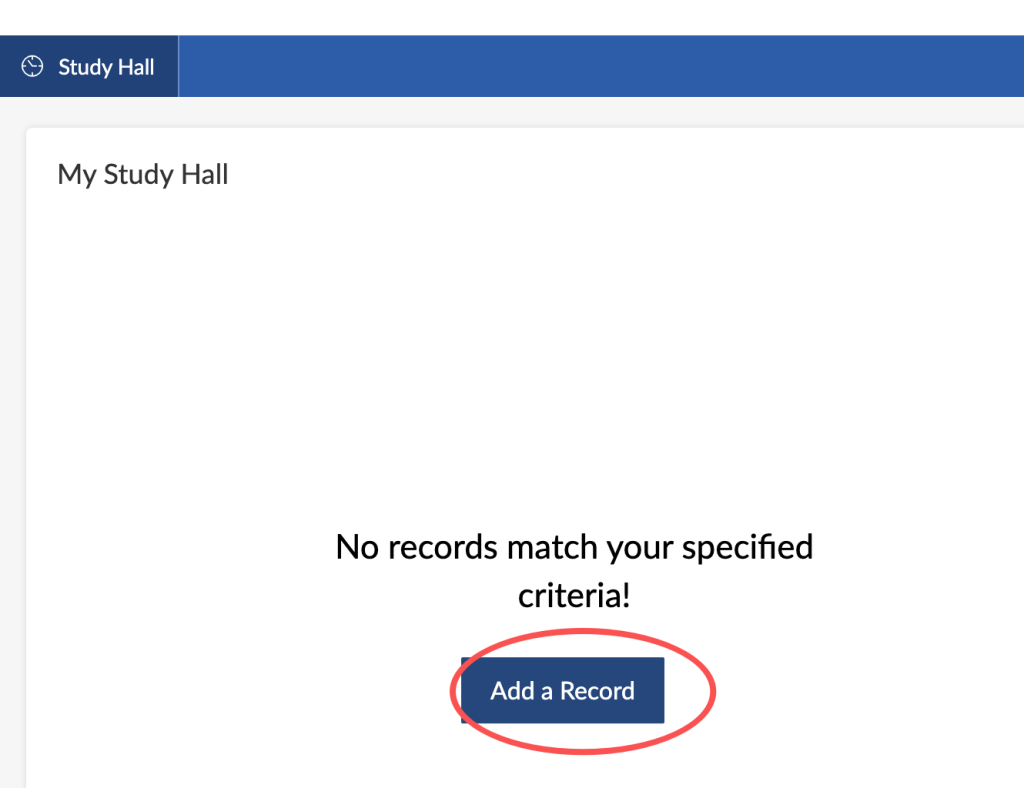
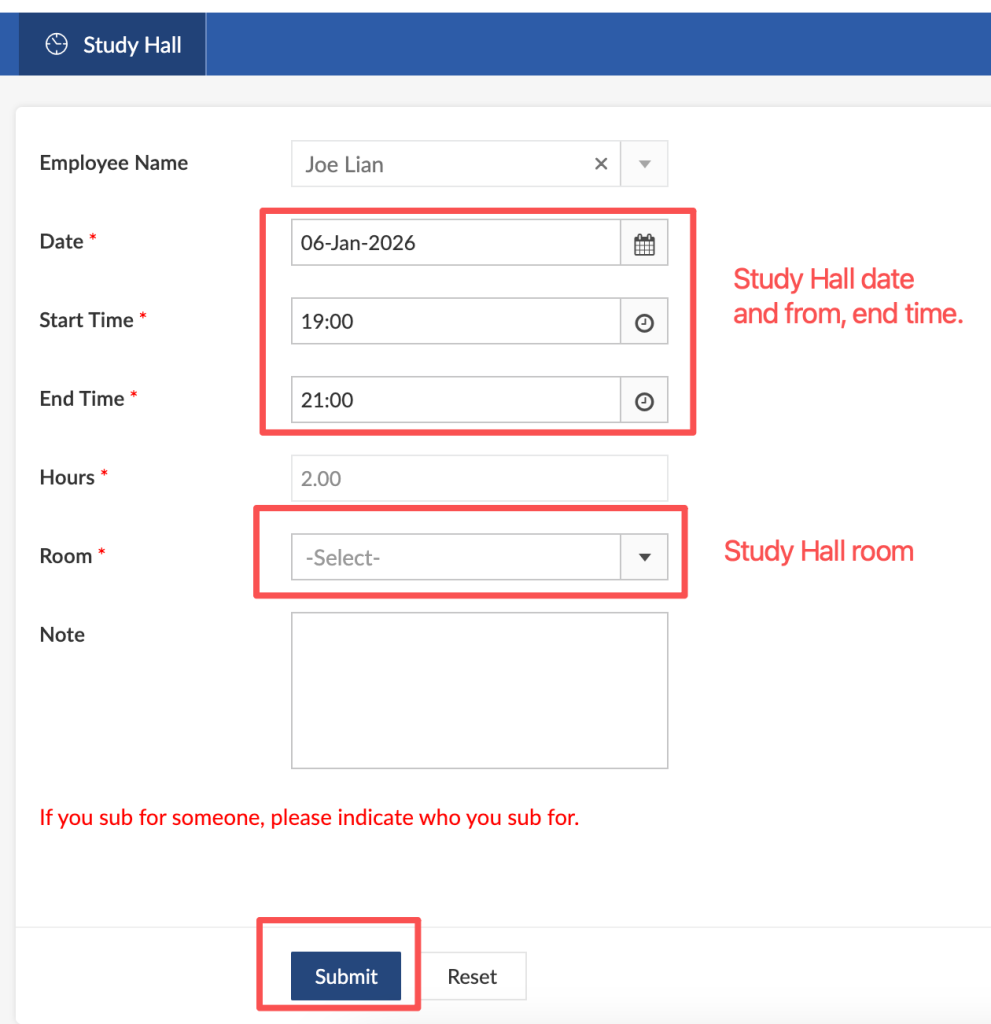
Select date, start time, end time, and room.
If you sub for someone, please indicate who you sub for.
Then click Submit.
NCPA/MS: https://ncpaoa.zohocreatorportal.com.cn/
After login, create a new record, and input information follow below screenshot:
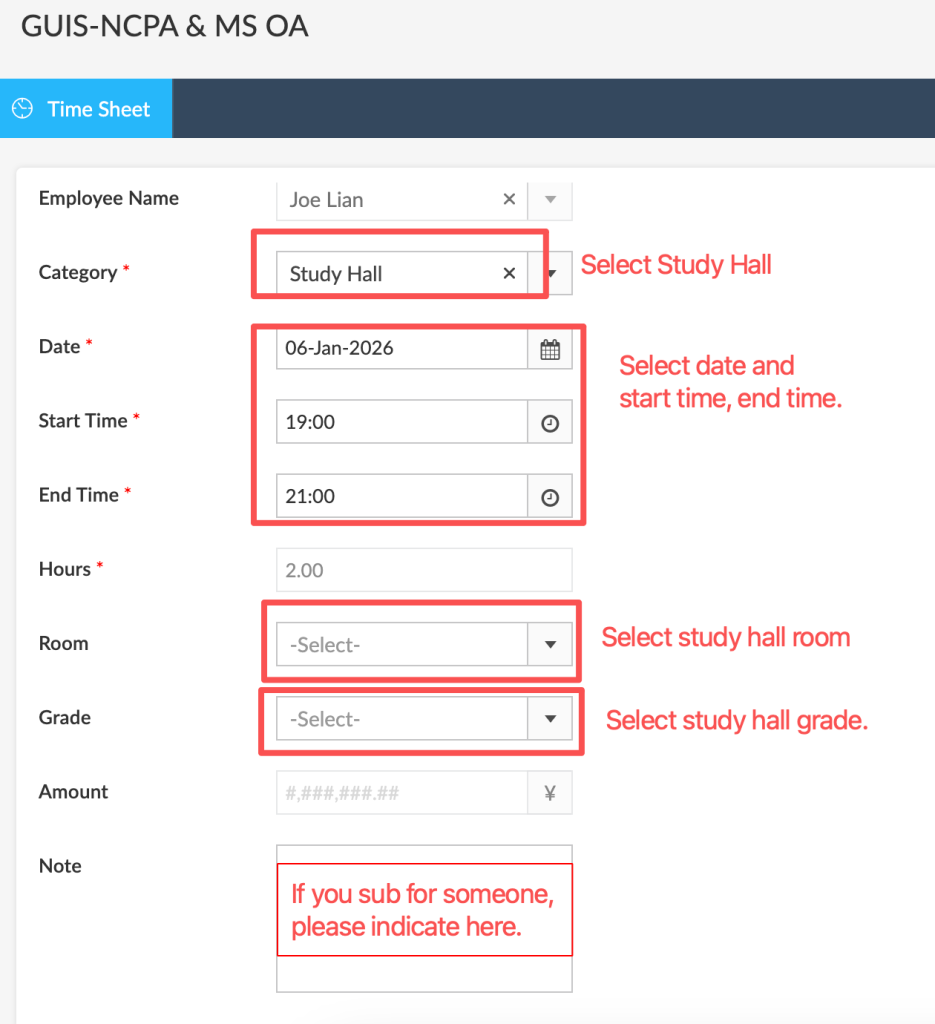
Then click Submit.